
Ask a regular FireStick user how they safeguard their privacy, and most will mention using a good VPN and avoiding suspicious third-party apps. Honestly, that is already a smart starting point. A reliable VPN adds a meaningful privacy layer, especially against ISP tracking, public Wi-Fi risks, and routine data monitoring.
However, privacy on streaming devices is more layered than most people realize.
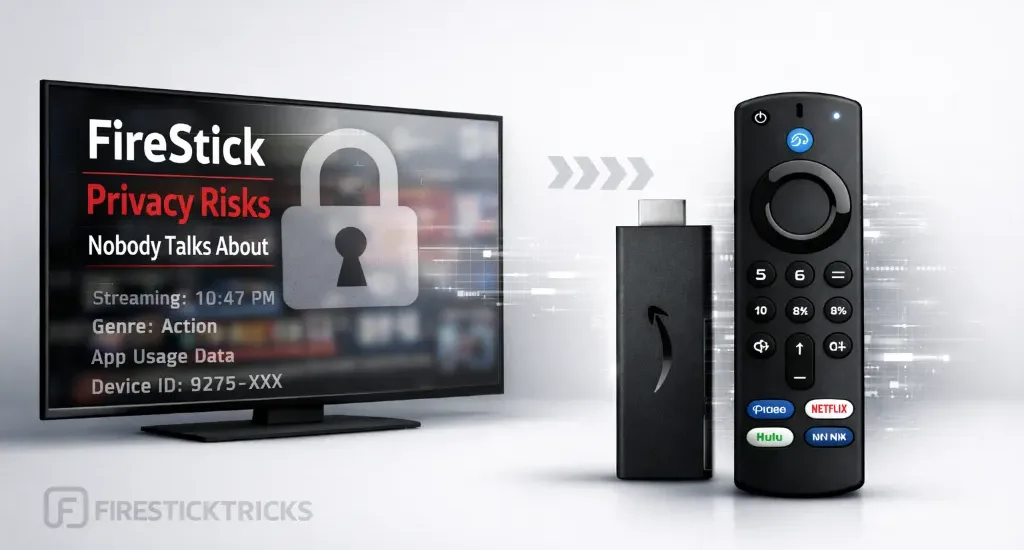
Some risks exist even before you install a single app on your FireStick. Understanding those blind spots helps you use tools like VPNs more effectively rather than assuming one step solves everything.
I’ve been using the FireStick since its release in 2014. Initially, I also thought a VPN plus cautious app choices were enough. Over time, after observing how streaming ecosystems actually function, I realized privacy protection works best when you combine a VPN with better awareness of how data flows through these devices.
Your FireStick Knows A Lot About You
The other day, I saw a social media user say they don’t allow guests, even their friends, to watch content on their smart TV using their account. Instead, they log out and have the guests watch content using a guest account.
The reason; they don’t want to ruin the ‘algorithm’ they have worked so hard to build. This is convenient to them, but to device and app developers, it’s called behavioral data.
Your FireStick knows what time you stream content, your favorite apps, your watch habits, and what you often search for. It can’t identify you by name, but it has created a profile of habits and preferences. Most users believe this profile is great for personalization and recommendations, which is true. However, it reveals how observant your FireStick is.
It’s Not Just About What You Watch
For FireStick Users
ISPs, hackers, and other third-party entities worldwide may monitor your online activities. For security, privacy, and smooth streaming, it is recommended to use a reliable VPN for FireStick. Your IP address is visible to sites you visit.
I recommend ExpressVPN, a fast and secure VPN. It is very easy to install on any device, including an Amazon Fire TV Stick. Also, it comes with a 30-day money-back guarantee. If you don't like their service, you can always ask for a refund. ExpressVPN also has a special deal where you can get 4 months free and save 81% on the 2-year plan.
It’s no secret that devices and apps track what you watch. The movies, the channels, the shows, etc. However, it’s more than that. While we assume that these systems look at the content, the real value is in the metadata. Metadata reveals patterns, including:
- When you watch your content, whether at the end of the day, on weekends, or during lunch breaks. It can indirectly signal when you are usually home.
- Whether you are a casual or binge watcher.
- The genres you watch, or those you start watching and abandon midway.
- How often do you switch streaming apps?
Knowing this makes it clear that the privacy conversation is less about a single action and more about an ecosystem of ongoing data signals.
Even Official Apps Track Usage
It’s a widespread misconception in the streaming space that only third-party apps raise privacy concerns, and that sticking to apps in the Amazon App Store means you have nothing major to worry about.
The reality is that even official apps collect user data for analytics. These include:
- App performance.
- Device identifiers.
- Advertising IDs.
- User interaction and behavior on the app.
- Session duration.
Apps disclose the data they collect in privacy policies, but very few users actually read them. While the goal is often to improve the app or optimize ads, awareness of data collection remains important. Privacy becomes more about understanding how the streaming system functions and less about simply avoiding sideloaded apps.
Home Wi-Fi Doesn’t Necessarily Mean Private
Security experts often warn about public Wi-Fi. Cafes, hotels, airports. This makes home Wi-Fi feel inherently safe, and many users assume private network equals private activity.
That is only partly true because your Internet Service Provider is still involved.
Your ISP can still see certain traffic patterns on your network infrastructure. This may include:
- When heavy streaming occurs.
- Services you access.
- Domains you visit, such as youtube.com or netflix.com.
- Data volume.
- Device types on your network.
- DNS requests.
This is one reason many privacy-conscious users keep a VPN active even at home. It reduces unnecessary visibility at the network level.
Traveling With Your FireStick is Convenient But Riskier
The FireStick is compact and travel-friendly. Many users carry it on vacations or business trips. But traveling introduces additional privacy considerations.
Hotel and public networks often have weaker controls, shared access, and sometimes managed gateways that monitor traffic. In such environments, a premium VPN becomes especially useful as an extra privacy layer.
Why Some FireStick Users Keep VPN Always ON
Given how layered streaming privacy can be, it makes sense that some users keep their VPN active continuously rather than occasionally.
A premium VPN can help:
- Reduce ISP and network visibility.
- Add protection on public or shared networks.
- Prevent throttling or monitoring patterns.
- Block trackers, targeted ads, and malicious domains.
- Maintain consistent privacy regardless of location.
⚡ DON'T MISS THIS LIMITED-TIME 🕒 DEAL

Protect your privacy with ExpressVPN
DEAL OF THE DAY
73% DISCOUNT ON ExpressVPN + 4 EXTRA MONTHS
Risk-free with a 30-day money-back guarantee
🔒 GET ExpressVPN↗️
Simple Privacy Habits That Help
Privacy protection on a FireStick does not require technical expertise. Small consistent habits make a difference.
Adjust Privacy Settings
Go to Settings > Preferences > Privacy Settings and:
- Turn off device usage data.
- Disable collection of app usage data.
- Turn off interest-based ads.
- Reset your advertising ID.
Turn Off Data Monitoring
Disable data monitoring from Settings > Preferences > Data Monitoring.
Review App Permissions Regularly
Ensure apps only have permissions you intend to grant.
Delete Unused Apps
Unused apps still update and retain permissions. Remove anything you do not actively use.
Limit Account Linking
Linking accounts is convenient but creates broader data connections. Limit unnecessary linking and consider separate emails for streaming accounts.
Check Privacy Settings Regularly
System updates sometimes reset or change privacy options. Review them periodically.
If Privacy Matters, This is Worth Considering
The FireStick is a powerful and convenient streaming device, but privacy risks often sit quietly in the background.
Nothing dramatic usually happens. Instead, it is about ongoing data flow: recommendations, analytics, device telemetry, and network activity.
Using a VPN consistently already puts you ahead of most users. Combine that with smarter privacy settings, cautious app management, and awareness of network environments.
Streaming convenience and privacy control can coexist. It just requires a few deliberate choices.

Suberboost Your FireStick with My Free Guide
Stay Ahead: Weekly Insights on the Latest in Free Streaming!
No spam, ever. Unsubscribe anytime.




