
This post lists the best Cinema APK alternatives. You can install these apps on compatible devices, including Amazon FireStick, Android TV boxes, smart TVs, Android mobiles, and more.

What is Cinema APK?
Cinema APK, also known as Cinema HD, was a third-party streaming app that offered free movies and TV shows. Although the app boasted a vast library of high-quality on-demand content, it raised serious safety and legal concerns.
First, this app had faced numerous legal challenges over the years, largely because it pulled streaming links from across the internet and distributed copyrighted content without proper consent.
The app has finally been shut down.
Legal Disclaimer: This tutorial is purely educational. FireStickTricks.com doesn’t own, host, operate, resell, or distribute any streaming apps, addons, websites, IPTV or services. The page contains some unverified services, and we are not certain whether they hold legal licenses to distribute the content. FireStickTricks.com does not verify the legality of each app/service in all regions. Do your due diligence if you use any of the unverified apps/services, and stream only content that is available in the public domain. The end-user shall be solely responsible for the media accessed.
Additionally, several websites claim to be the “official” Cinema APK website, which can make things confusing for new users. In many cases, it’s difficult to tell the original Cinema HD APK apart from the numerous copycat sites and unofficial versions available online.
This poses a serious safety concern because many copycat sites may host malware or phishing scams that could compromise your device or steal your personal data.
These inconsistencies, combined with ongoing legal concerns, have made Cinema APK a less reliable option for free movies and TV shows. As a result, many users are now searching for better alternatives. After extensive research and testing, we have compiled some of the best Cinema APK alternatives for streaming free movies and TV shows.
For FireStick Users
ISPs, hackers, and other third-party entities worldwide may monitor your online activities. For security, privacy, and smooth streaming, it is recommended to use a reliable VPN for FireStick. Your IP address is visible to sites you visit.
I recommend ExpressVPN, a fast and secure VPN. It is very easy to install on any device, including an Amazon Fire TV Stick. Also, it comes with a 30-day money-back guarantee. If you don't like their service, you can always ask for a refund. ExpressVPN also has a special deal where you can get 4 months free and save 81% on the 2-year plan.
Read: How to Install and Use the Best VPN for FireStick
Are Cinema APK Alternatives Safe and Legal?
Cinema APK was an unofficial app that raised legal and safety concerns. It wasn’t available on official stores like Amazon or Google Play, which may have made some streamers hesitant. The app also appeared to distribute copyrighted content without proper consent or licensing.
We’ve considered all these factors when compiling this list, which is why we’ve included only official apps. All the alternatives in this post are hosted on official app stores and provide all the content legally.
Best Cinema APK Alternatives (Updated Oct 2026)
Here are the best Cinema APK alternatives that you can install on your device to stream free on-demand content:
1. Tubi
Tubi has one of the largest libraries of free on-demand content. The platform offers hundreds of HD movies and TV shows at no cost.
Tubi offers content across a wide range of genres, including comedy, drama, kids and family, horror, crime, action, and anime.
If you enjoy TV shows, you’ll also find a good selection of classic series, popular shows from the ’90s, and plenty of reality TV content to explore.
You can install the Tubi app on most streaming devices, including mobile devices and TVs.
Streaming is easy, and you don’t even need an account to access the content.
However, signing in is advisable to sync your watchlist across devices and get personalized recommendations.
How to Install Tubi on FireStick
2. Pluto TV

Pluto TV is a popular free streaming platform for watching movies, TV shows, and live TV online.
It is one of the earliest internet television (IPTV) services, offering free content on an ad-supported model.
Pluto TV is completely free and offers hit movies, memorable classics, and binge-worthy TV shows.
While the video quality isn’t the best, the 480p resolution is generally decent for viewers seeking budget-friendly entertainment.
Playback is buffer-free, with only a few ad breaks interrupting the content.
You can find Pluto TV on most app stores, including Google Play, Apple App Store, and Amazon App Store.
It is well optimized for both mobile and TV devices and responsive to TV remotes.
Once you install the app on your device, you can either register for a free account or stream as a guest.
How to Install Pluto TV on FireStick
3. Plex

Plex is a great Cinema HD alternative to watch lots of free movies and TV shows.
It is free, legal, and 100% safe to use. You can download the Plex app directly from your device’s official app store, such as the Google Play Store or the Amazon AAppstore
Plex has one of the largest content libraries, with over 20,000 movies and TV shows. These are high-quality videos, up to HD.
In addition to its on-demand library, Plex provides access to more than 600 live TV channels. These channels cover a variety of categories, including movies, news, sports, kids’ programming, comedy, and lifestyle content.
You don’t need an account to watch content on Plex. However, I recommend signing up for a personalized experience.
4. YouTube

YouTube has easily become one of the best platforms for free movies and TV shows.
Whether you’re looking for an action-packed film or an independent film that breaks away from Hollywood clichés, YouTube has many of them.
I usually prefer using the main search feature to find movies. It gives me access to a broader selection, including foreign-language films, so there’s more variety to choose from.
However, if you’re interested in Hollywood movies and mainstream titles, YouTube has a surprisingly large collection available. Along with free content, the platform also offers access to a wide range of popular films through rentals, purchases, and ad-supported viewing.
You’ll find the free content in the Movies & TV section, under the “Free With Ads” menu.
5. Fawesome

Fawesome is a free streaming app for movies and TV shows.
It is completely legal, free to use, and safe. Platforms like this generate revenue through ads, so users do not have to worry about unknowingly streaming unauthorized content.
Fawesome offers a decent collection of movies and TV shows across multiple genres. The content is organized into easy-to-browse categories such as Must-See Hits, Fawesome This Week, and New Arrivals.
If you prefer to browse by genre, you will find categories such as action, horror, western, comedy, thriller, sci-fi, and Hispanic content.
How to Install Fawesome on FireStick
6. Xumo Play

Xumo Play is another Cinema APK alternative for free movies, TV shows, and live TV.
Although the content library isn’t as vast as that of Cinema HD, you get at least 15,000 on-demand titles and 350-plus live channels.
This app is compatible with both mobile and TV devices and works seamlessly with the TV remote.
Xumo Play doesn’t require a subscription or account. Just install the app on your device and start streaming instantly.
The video quality is decent, but you’ll encounter ads.
How to Watch Xumo Play on FireStick
7. The Roku Channel

The Roku Channel is a free ad-supported platform by Roku.
The app is compatible with other devices too, and lets you stream hundreds of free movies and TV shows.
This app also includes a selection of free live TV channels across several categories, such as news, sports, kids’ content, movies, lifestyle, and general entertainment. The variety of channels makes it a useful option for both live TV and on-demand streaming.
You can stream as a guest on The Roku Channel. However, I recommend signing up for a free account to personalize your streaming experience.
How to Install and Use The Roku Channel on FireStick
8. Sling Freestream
Sling Freestream is the free-ad-supported section of Sling TV, a premium IPTV service.
This section offers plenty of free content, including over 600 live TV channels and a solid library of on-demand movies and shows.
You don’t need a Sling account to use Freestream. Install the Sling app from the app store, navigate to the Freestream tab, and start watching free content.
Sling offers a lineup of great movies and TV shows, including America’s Got Talent, Family Feud, and Law & Order: Special Victims Unit.
How to Install Sling TV on FireStick
9. Filmzie

Filmzie is a lesser-known free app for film and TV lovers. It is a good alternative to Cinema HD if you’re looking for a free and legal streaming option.
This lightweight app is available on official app stores, including Google Play and the Amazon App Store.
It is a navigable app with content organized into movies and TV shows.
You can add a movie or show to your favorites for easy access, and you don’t even need an account.
The best part of Filmzie is that, despite being a free ad-supported app, the video quality is HD.
10. Fandango at Home (Formerly Vudu)

Fandango at Home is a popular digital platform for renting and purchasing movies and TV shows.
The service also includes an ad-supported section that lets users stream free movies and TV shows online.
You can watch content across genres such as drama, crime, action, comedy, horror, and westerns.
However, you must create a free Fandango at Home account to access the free content.
If you are looking for a straightforward and legal alternative to Cinema APK, Fandango at Home is worth trying.
How to Watch Vudu on FireStick
How to Stream on FireStick with a VPN
Your internet provider and many websites/apps can see your IP address and some details about your connection. Using a VPN encrypts your traffic and masks your IP address, which helps protect your online privacy.
I recommend ExpressVPN. It’s a reputable VPN with strong encryption and fast connections, and it’s straightforward to install on Fire TV/FireStick and other devices.
Next, I’ll show you how to set up and use ExpressVPN on your Fire TV/Stick.
Step 1: Subscribe to ExpressVPN HERE. It comes with a 30-day money-back guarantee. Meaning, you can use it for free for the first 30 days, and if you are not satisfied with the performance (which is highly unlikely), you can ask for a full refund.
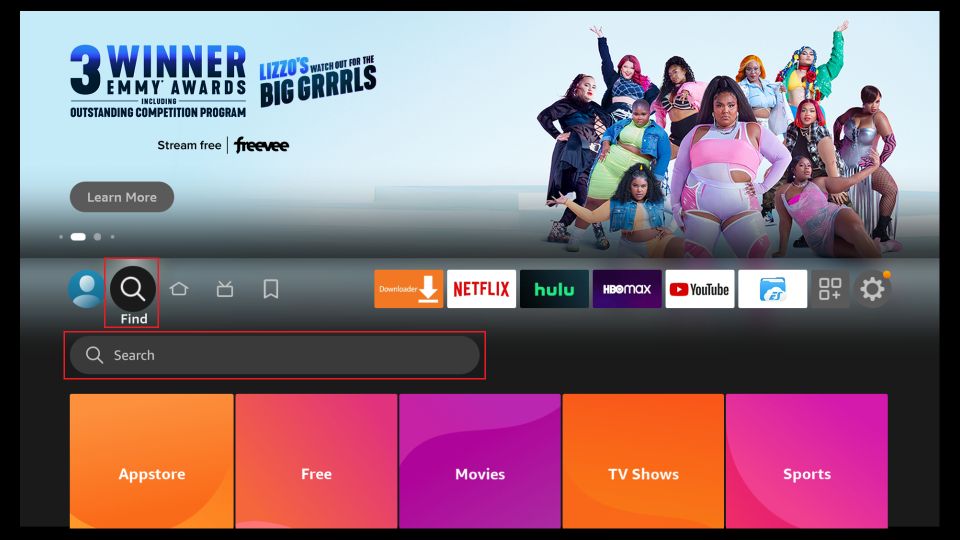
Step 2: Power ON your Fire TV Stick and go to Find, followed by the Search option.
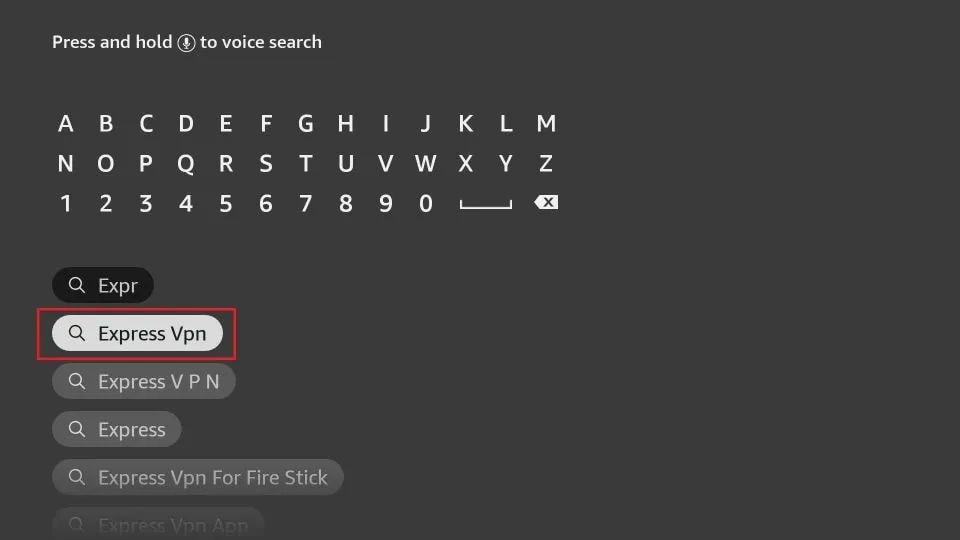
Step 3: Now type “Expressvpn” (without quotes) in the search bar and select ExpressVPN when it shows up in the search results.
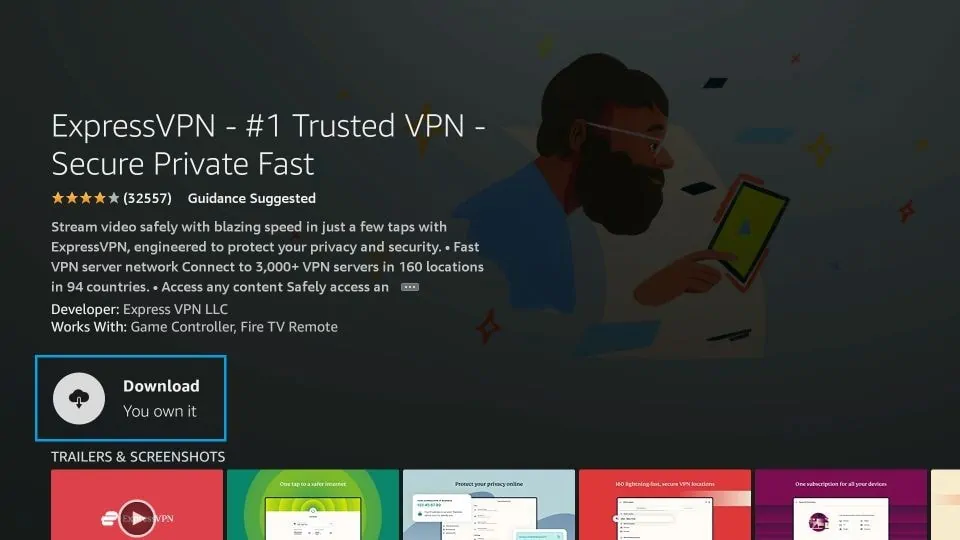
Step 4: Click Download to install the ExpressVPN app on Fire TV / Stick.
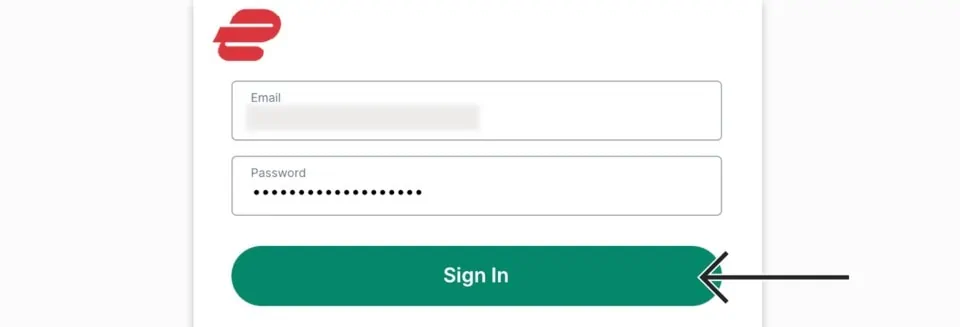
Step 5: Open the app and enter the login credentials that you created when you purchased the ExpressVPN subscription. Click Sign in.
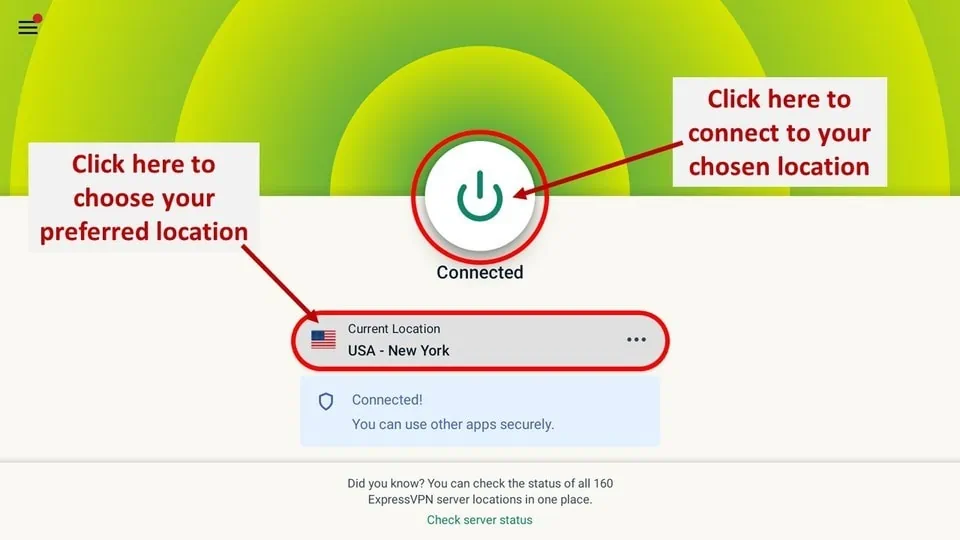
Step 6: Click the Power icon to connect to a VPN server. That’s all. Your connection is now secure with the fastest and best VPN for FireStick.
Wrapping Up
This post covered some of the best Cinema APK alternatives, highlighting safer and legal options for streaming free movies and TV shows online. Have you used any of these apps? Let us know about your experience in the comments below.
Frequently Asked Questions
A: Cinema APK, also known as Cinema HD, was a third-party app that provided free movies and TV shows. It is not available on official app stores and was considered unsafe and unreliable.
A: No. Cinema APK pulled copyrighted content without licenses. Using such apps to stream or download movies and shows can violate copyright laws.
A: The app faced takedowns, stopped updates, and spawned risky clones that may contain malware. As a result, it is widely regarded as insecure and unusable.
A: Yes. Legal streaming apps such as Tubi, Pluto TV, Plex, and Amazon Freevee are available in official stores. They provide movies and TV shows with proper licensing.
A: No. Since all the alternatives listed are legal, store-verified apps, they can be used safely without a VPN. A VPN is only useful for general online privacy, not for accessing these services.

Suberboost Your FireStick with My Free Guide
Stay Ahead: Weekly Insights on the Latest in Free Streaming!
No spam, ever. Unsubscribe anytime.





Spot on!
Refreshing the article date to 2021 doesn’t help for apps that have been dead since 2019 or longer. As identified from unanswered comments on here. Titanium? Going on 3 years. Zion got a cease and desist when covid started. Click and bait. Please update and give relevant useful information.
Hi Phil, the article clearly says that TVZion does not work any longer. However, Titanium TV works.
In which we can change language?
Hi Tara, I am not sure I understand your question. Could you please elaborate?
The only one I’ve had the pleasure of using so far is cyberflix and I absolutely love it. And I try to use the fastserver as well when watching something becuz not only is my wifi not the greatest even though I’m supposed to get 200mbps but using fastserver itll work perfect most of the time also there is no ads and stuff you have to deal with. My fav so far.
Typhoon and Unlockmytv imo the best ones available now using the CDN FASTSERVER provider
I have shitty wifi connection and have no issues watching 1080P videos
And best of all No Ads
Unfortunately, the latest update to Beetv has caught the ad bug from cinema. 🙁
There is a new one called Morphix