In this comprehensive guide, I will show you how to install the APKTime app on your FireStick. This installation applies to all Amazon Fire TV products, including FireStick 4K, Fire TV Cube, New FireStick 4K, New FireStick 4K Max, and FireStick Lite. Before we install APKTime, let’s briefly cover what it does and whether it’s safe.
Sometimes, you may want to install apps that are not available in the official Amazon App Store. There are various reasons why certain apps may not be officially listed. In such cases, APK files provide an alternative solution. An APK (Android Package Kit) is a packaged file format used by Android devices to distribute and install applications.
Many websites specialize in offering APK files for download, one of which is APKTime.
What is APKTime?
APKTime is one of the best and most popular platforms for downloading APK files. It offers thousands of APKs in categories like Top APKs, Entertainment, Games, Animation, Essentials, Sports, and adult content. The app is constantly updated with new releases, ensuring users have access to the latest versions. You can download APKs for free, and it requires no subscription or sign-up. The interface of APKTime is simple and easy to use. With APKTime, users can bypass geo-restrictions and access a wide range of apps effortlessly.
Attention FireStick Users
Governments and ISPs worldwide monitor users' online activities. If you use third-party streaming apps, you should always use a reliable FireStick VPN to hide your identity and avoid issues with your movie-viewing experience. Currently, your IP is visible to everyone.
I use ExpressVPN, the fastest and most secure VPN in the industry. It is very easy to install on any device, including the Amazon Fire TV Stick. It also includes a 30-day money-back guarantee. If you're not satisfied with their service, you can request a refund.
ExpressVPN is running a special New Year deal: Get 4 months free and save 78% on the 2-year plan.
Read: How to Install and Use Best VPN for FireStick
Is APKTime Safe and Legal?
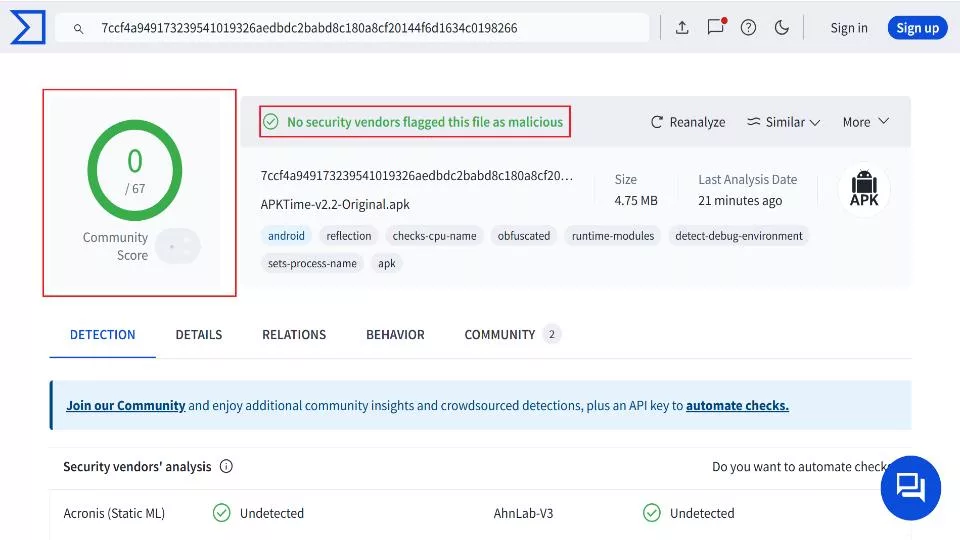
Users are concerned about the safety and legality of APKTime because it is not available in the Amazon App Store. Unfortunately, FireStickTricks.com cannot verify the legality or security of any third-party applications or services. APKTime allows you to access and install other third-party apps that may stream copyrighted content for free. If those apps don’t have the legal licenses to distribute their content, accessing it may be illegal. I checked APKTime apk on VirusTotal, and none of the vendors flagged it as malicious.
Your ISP (internet service provider) and government can observe what you stream, so you should never break the law because it could land you in legal jeopardy. However, it can be hard to determine if a specific stream is illegal because it depends on the source of the stream, licensing agreements, and even your location.
How to Install APKTime on FireStick
I will show you how to install APKTime on FireStick using the Downloader app.
I have divided installing APKTime with Downloader into two parts: preparing your FireStick and sideloading APKTime. Without further ado, let’s start.
Legal Disclaimer: This guide is for informational purposes only. FireStickTricks.com does not own, host, operate, resell, or distribute any apps, services, or content mentioned.
Part 1: Preparing FireStick to Install APKTime
For this method, we will sideload APKTime using Downloader, an app officially available in the Amazon App Store. Downloader allows FireStick users to download files from the internet easily and for free.
1. Starting on the FireStick home screen, select Find.
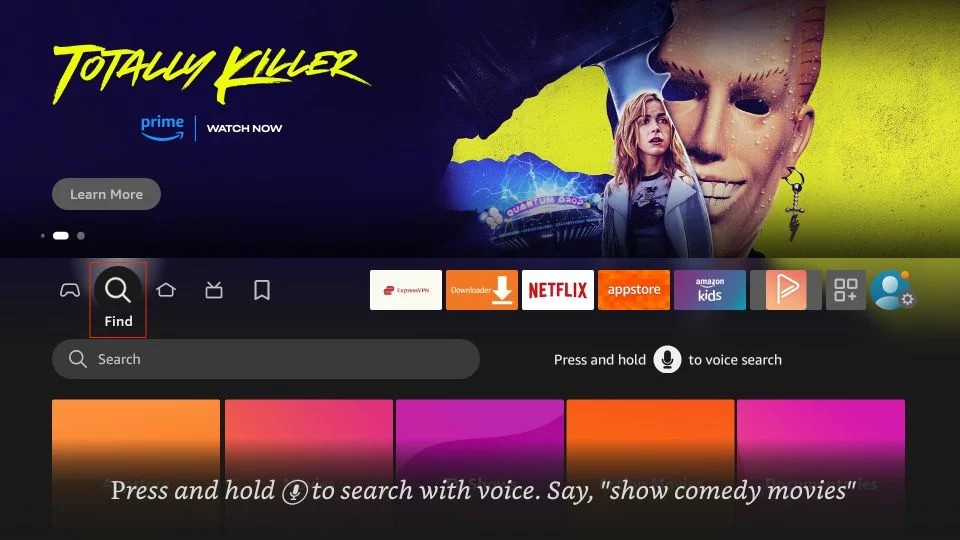
2. Select Search.
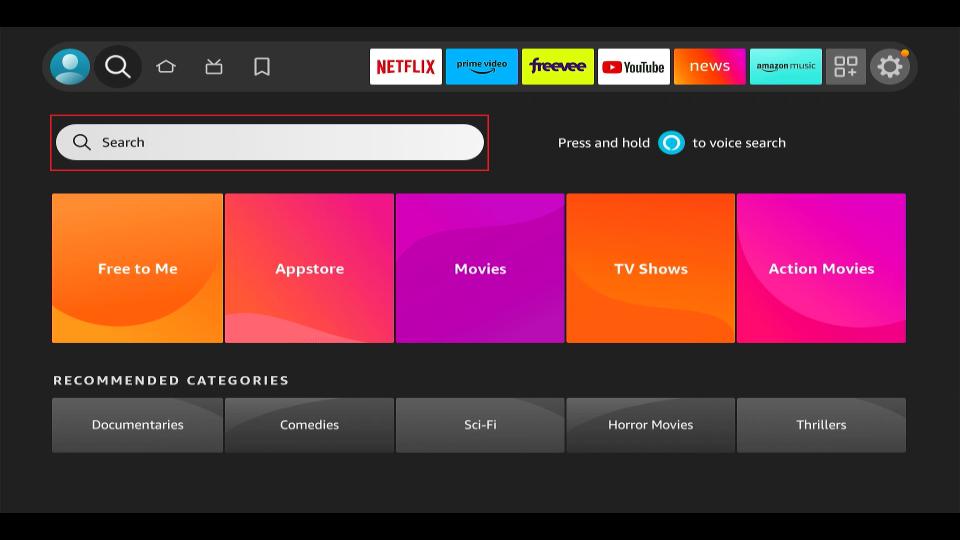
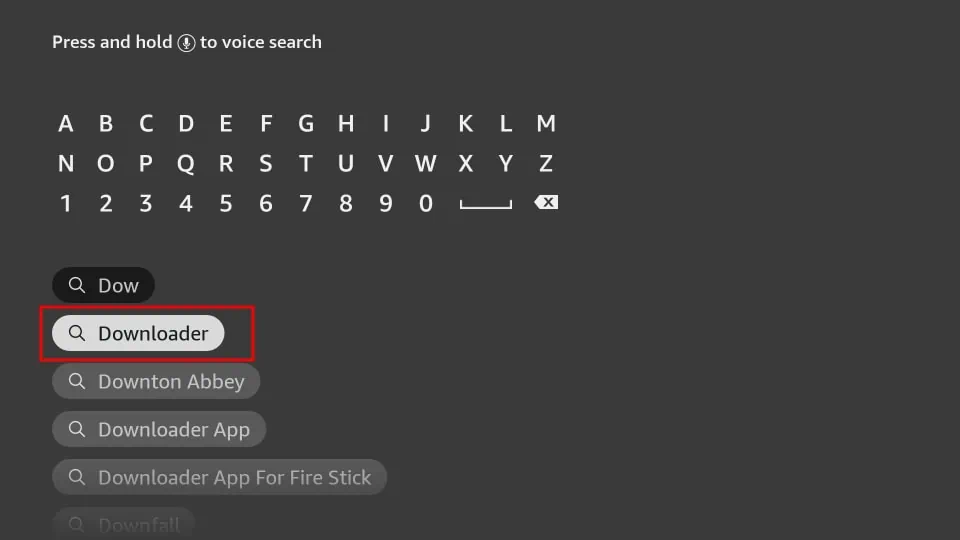
3. Type in Downloader. Select Downloader in the suggestion list.
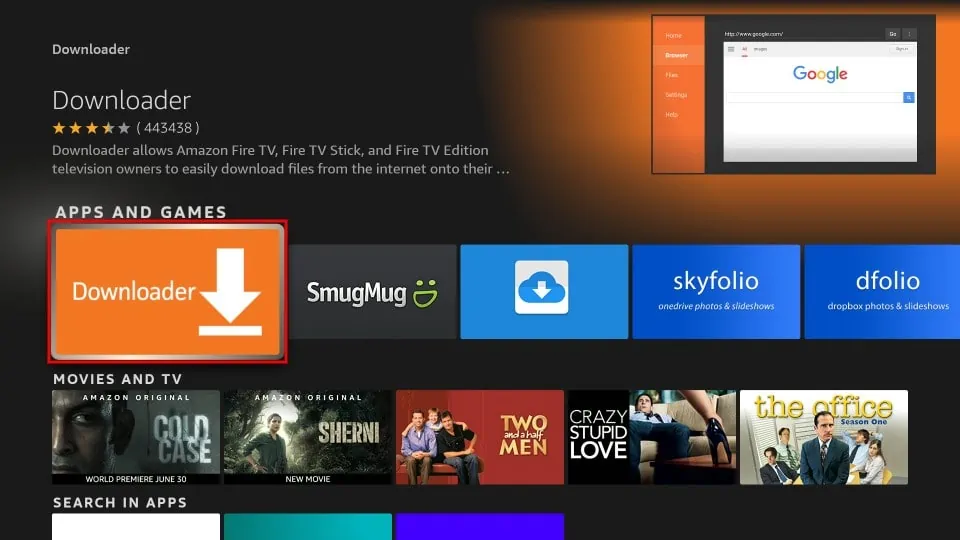
4. Click on the Downloader app in the APPS AND GAMES section.
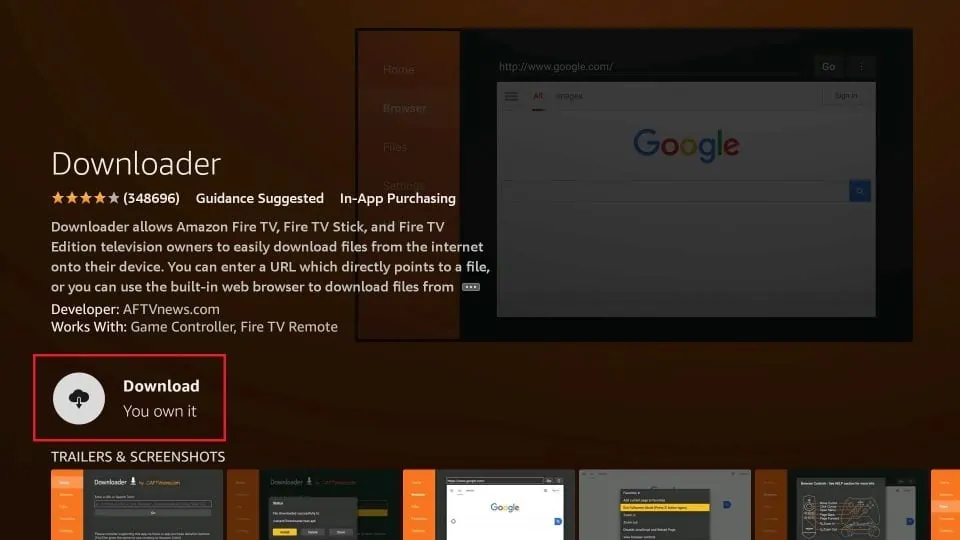
5. Click Download or Get.
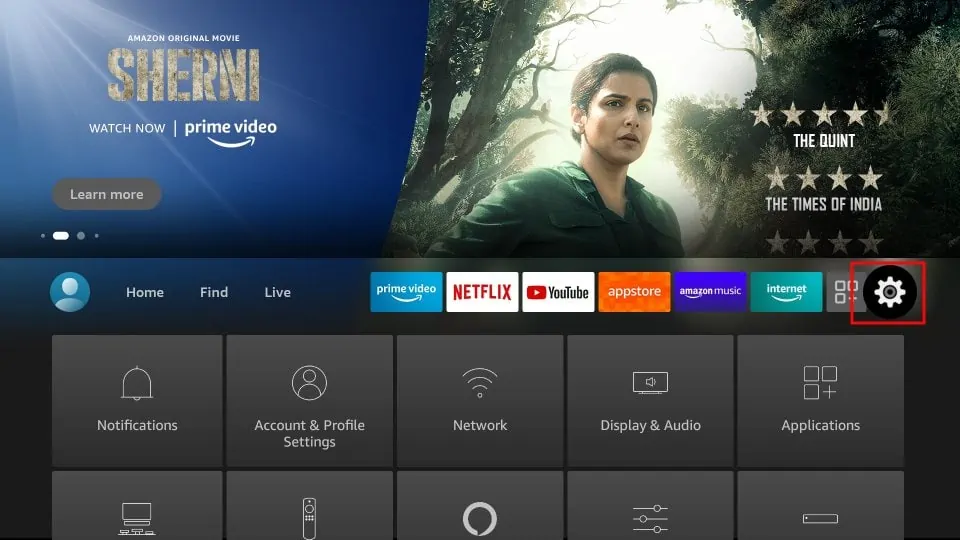
6. From the FireStick home screen, go to Settings (the gear icon).
7. Click My Fire TV.
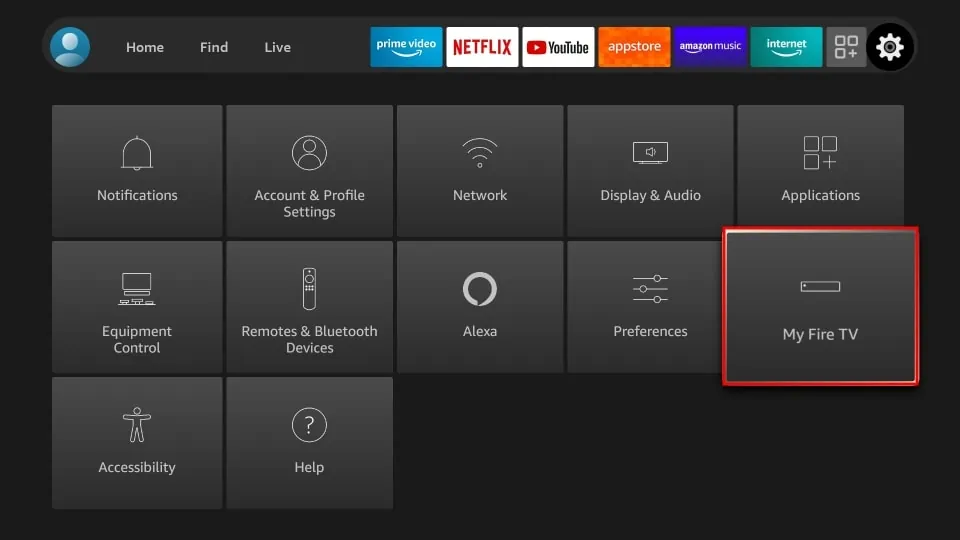
8. Select Developer Options.
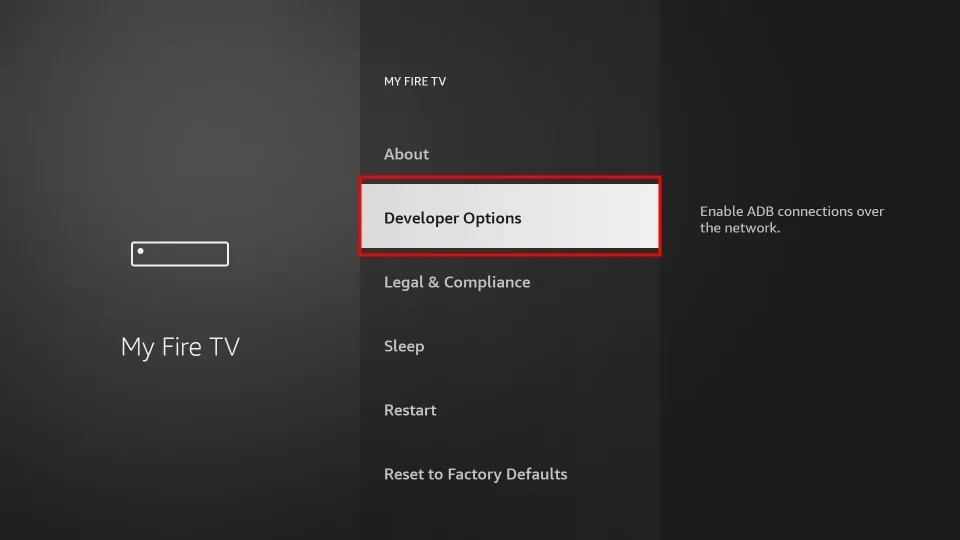
9. Click Install unknown apps.
Note: If you see Apps from Unknown Sources, turn it ON and skip step 10.
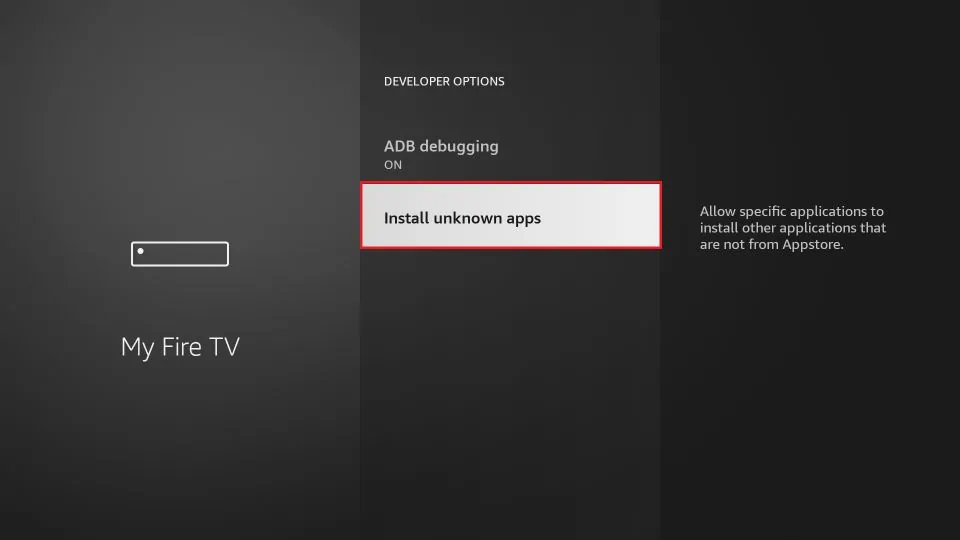
10. Click Downloader to turn it ON.
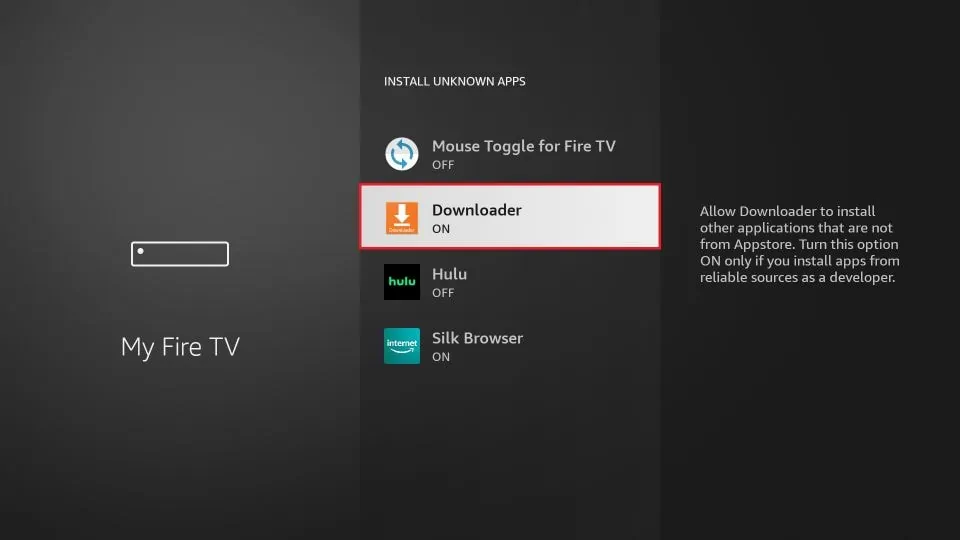
Part 2: Sideloading APKTime on FireStick
1. Launch Downloader.
Note: Press and hold the home button on your FireStick remote to find any app easily. When a menu appears, select Apps. Then, locate and select Downloader to launch it.
2. On the Downloader home screen, select the URL box labeled Enter a URL or Search Term.
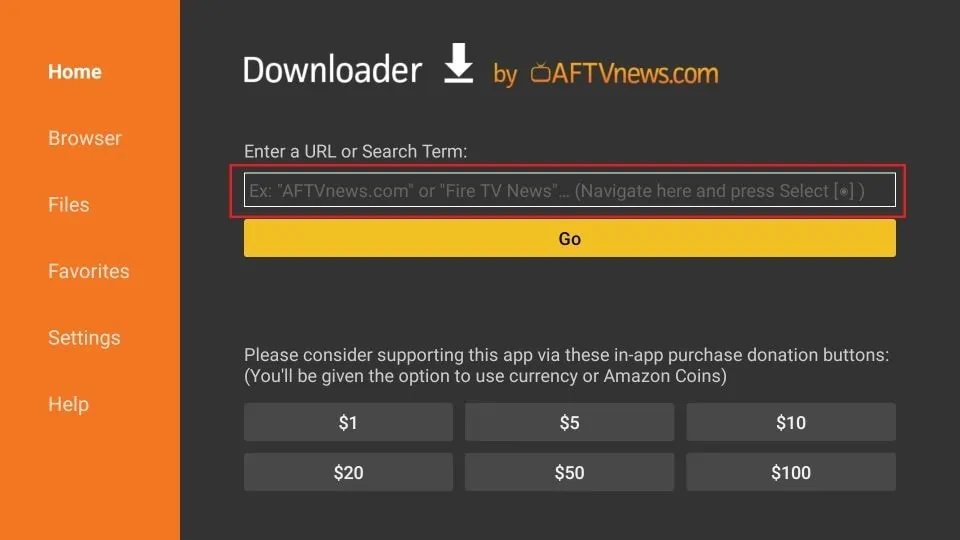
3. Type in https://bit.ly/3gTeGzG and select Go. Your download will start.
Note: Make sure you type the URL correctly. It’s case-sensitive.
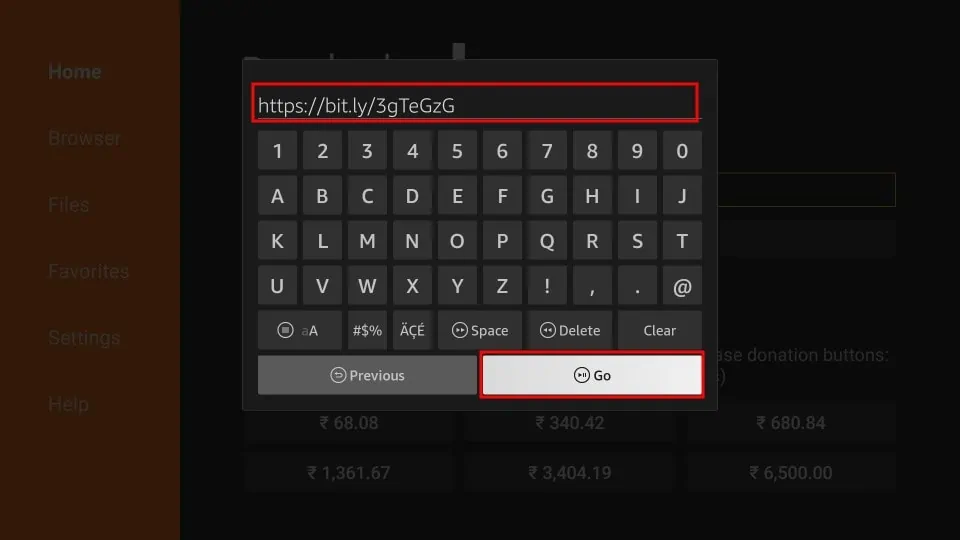
4. Click INSTALL when the file finishes downloading.
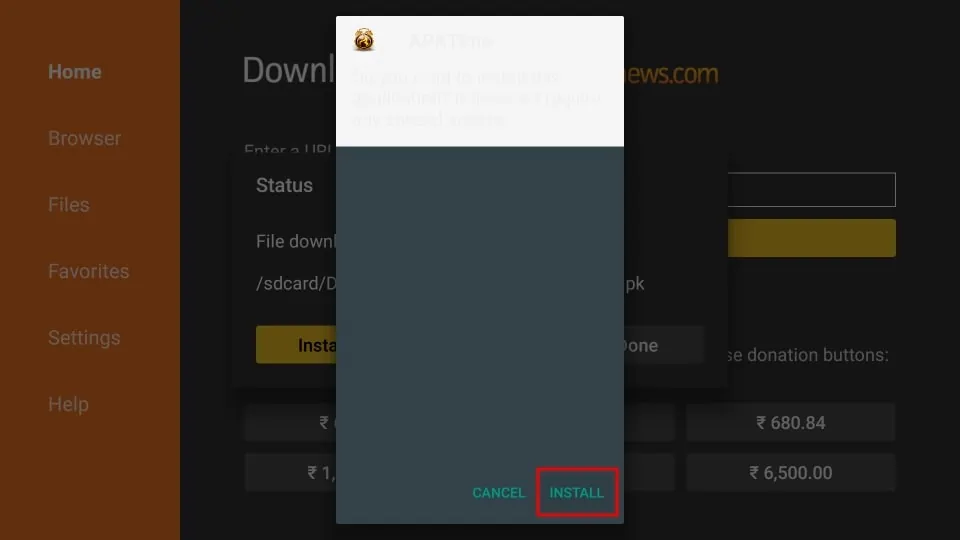
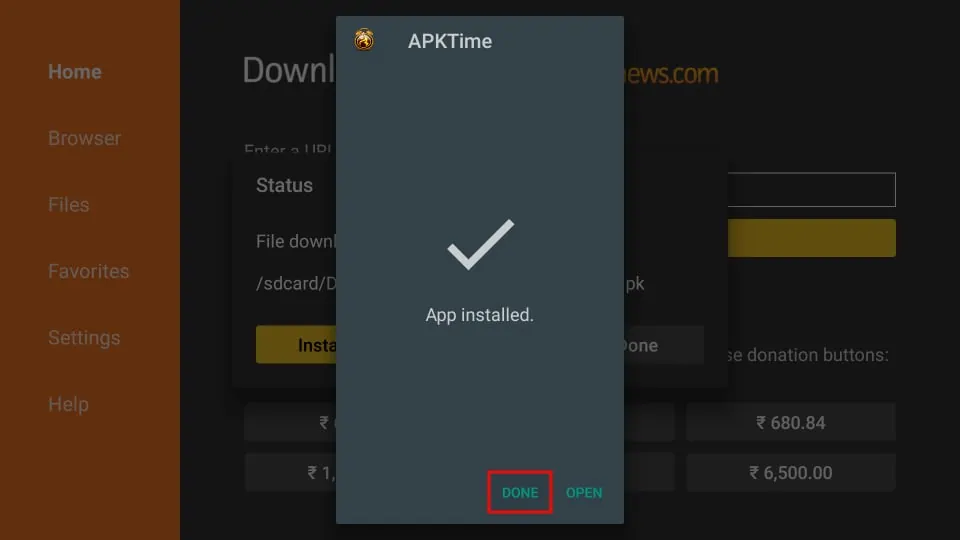
5. Now, select DONE.
6. Choose Delete to delete the APK file for APKTime from your FireStick’s storage. The APK file is useless now that we’ve already installed APKTime.
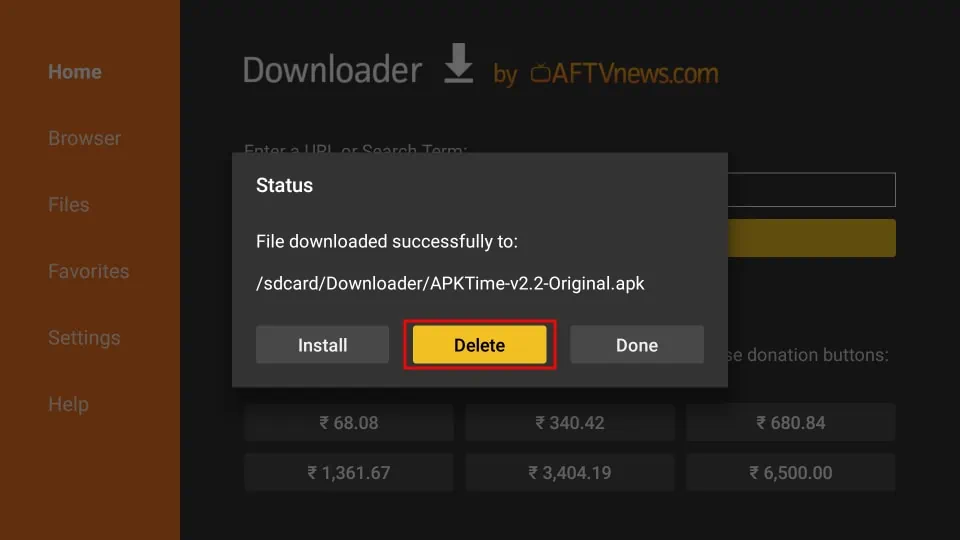
7. Select Delete once more.
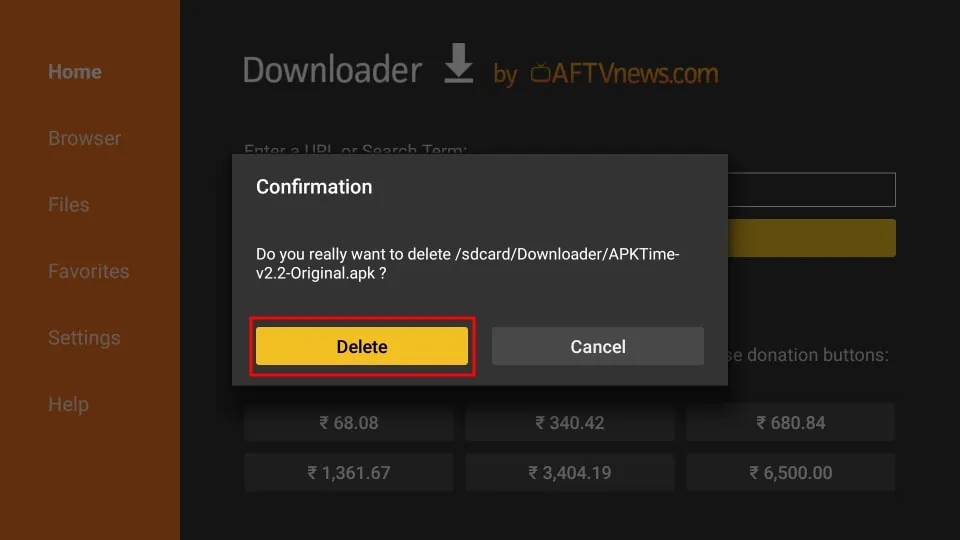
You have successfully installed APKTime on FireStick.
Your FireStick / Fire TV is now all ready to stream your favorite content. However, before you start, I would like to warn you that everything you stream online is visible to your ISP and Government. This means, streaming free movies, TV shows, Sports might get you into legal trouble.
Thankfully, there is a foolproof way to keep all your streaming activities hidden from your ISP and the Government. All you need is a good VPN for Fire Stick. A VPN will mask your original IP which is and will help you bypass Online Surveillance, ISP throttling, and content geo-restrictions.
I personally use and recommend ExpressVPN, which is the fastest and most secure VPN. It is compatible with all kinds of streaming apps and is very easy to install on Fire TV / Stick.
We do not encourage the violation of copyright laws. But, what if you end up streaming content from an illegitimate source unintentionally? It is not always easy to tell the difference between a legit and illegal source.
So, before you start streaming on your Fire Stick / Fire TV, let’s see how to use ExpressVPN to keep your streaming activities hidden from prying eyes.
Step 1: Subscribe to ExpressVPN HERE. It comes with a 30-day money-back guarantee. Meaning, you can use it free for the first 30-days and if you are not satisfied with the performance (which is highly unlikely), you can ask for a full refund.
Step 2: Power ON your Fire TV Stick and go to Find followed by Search option.
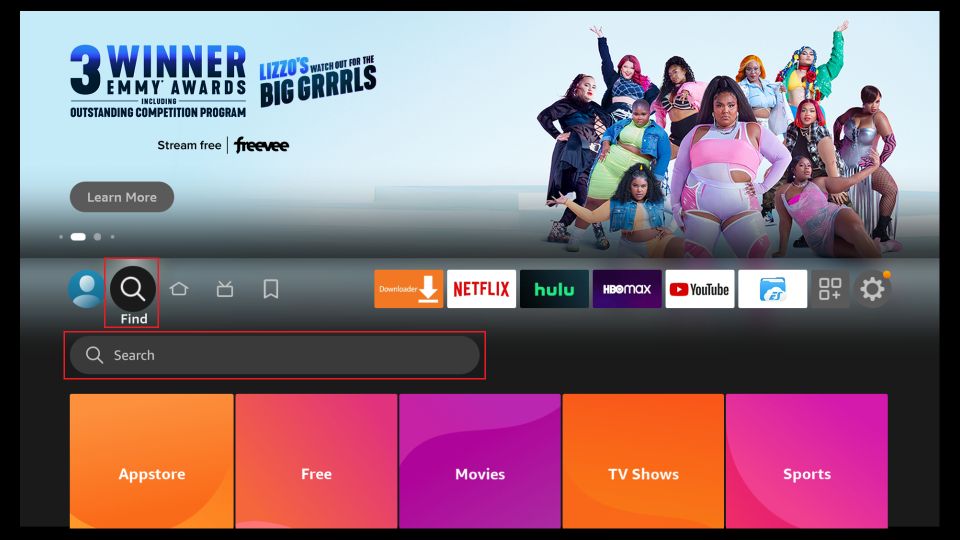
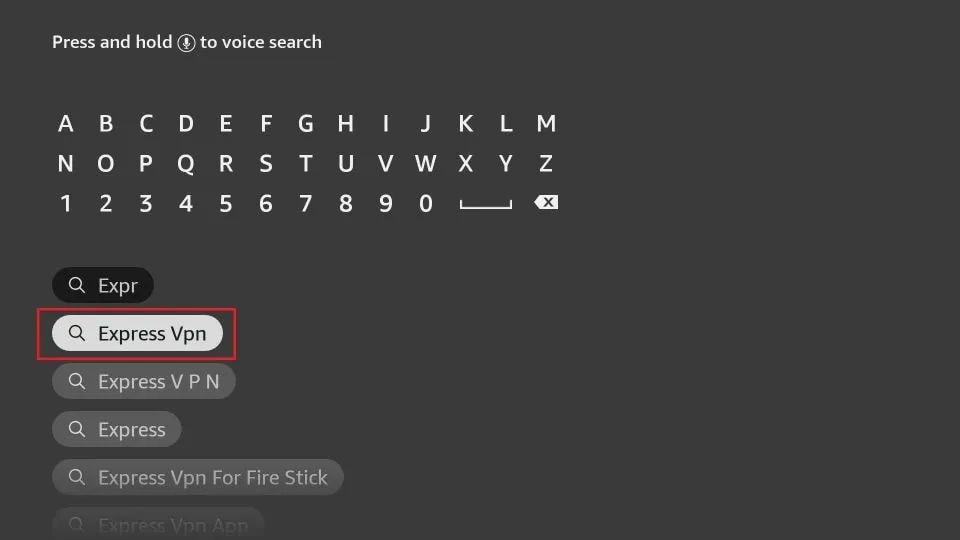
Step 3: Now type “Expressvpn” (without quotes) in the search bar and select ExpressVPN when it shows up in the search results.
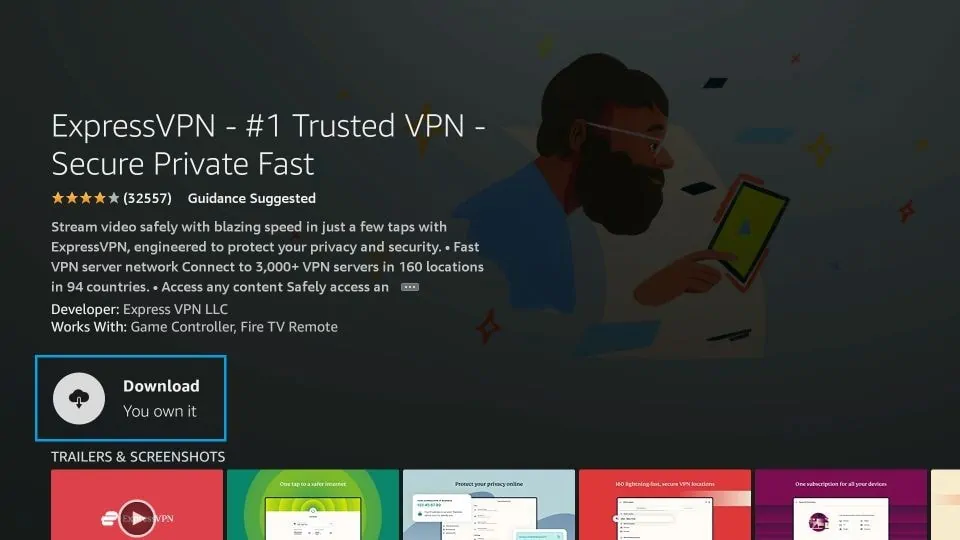
Step 4: Click Download to install the ExpressVPN app on Fire TV / Stick.
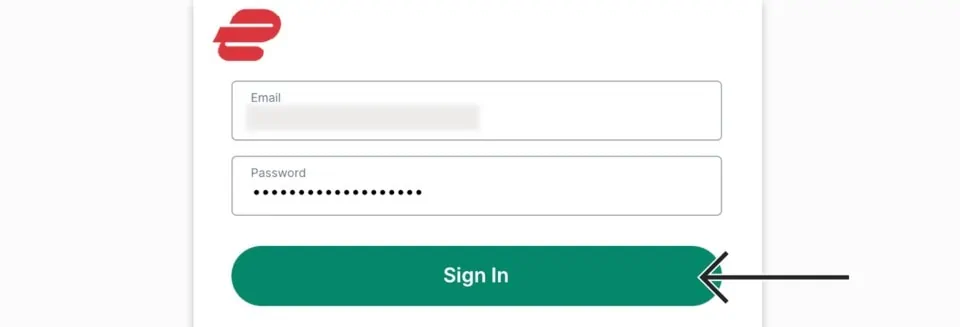
Step 5: Open the app and enter the login credentials that you created while buying the ExpressVPN subscription. Click Sign in.
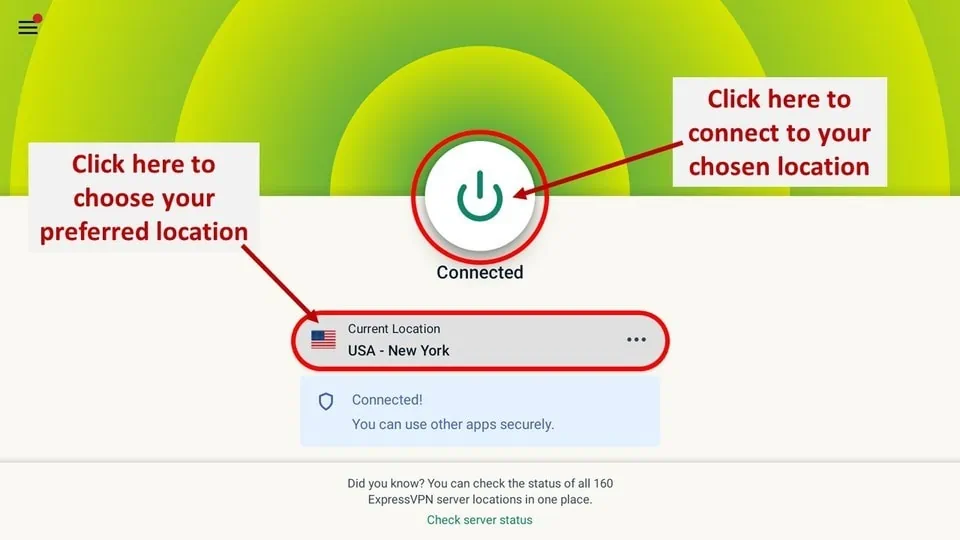
Step 6: Click the Power icon to connect to a VPN server. That’s all. Your connection is now secure with the fastest and best VPN for FireStick.
You can also read more detailed info on using ExpressVPN with Fire TV / Stick.
How to Add APKTime to Your FireStick Home Page
If you intend to access APKTime often, you may want to add the APKTime app to the bar of apps accessible on the FireStick home screen.
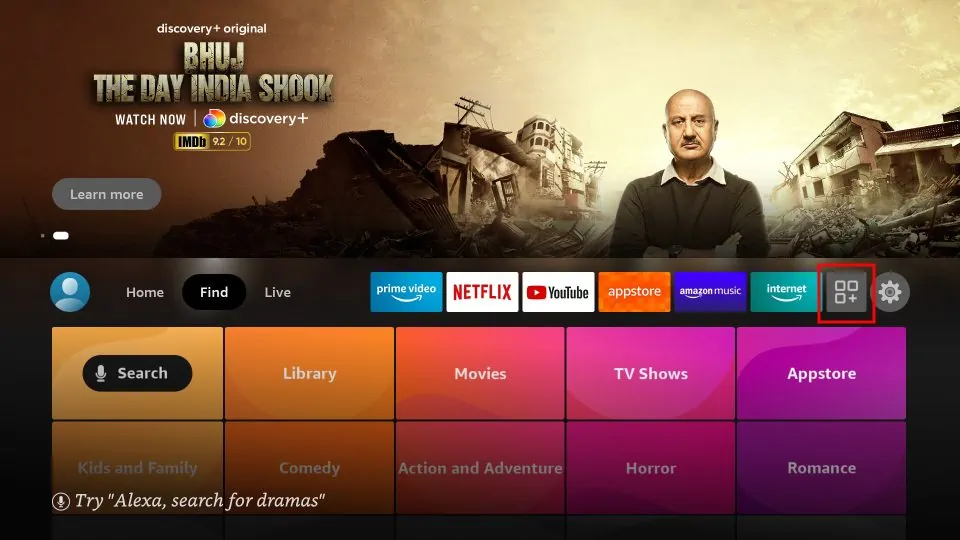
1. On your FireStick home screen, select the View All button.
2. Scroll to APKTime, but don’t select it. Press your remote’s menu button.
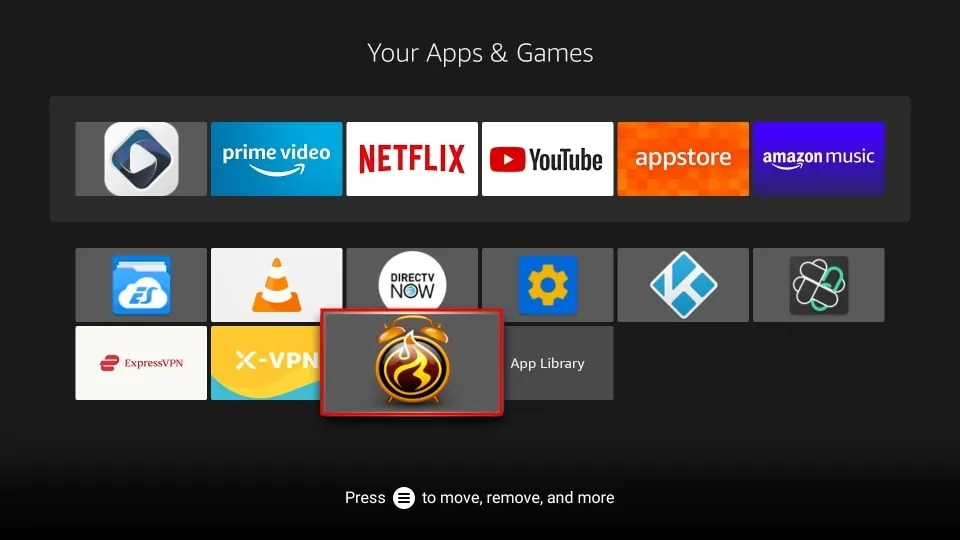
3. Select Move.
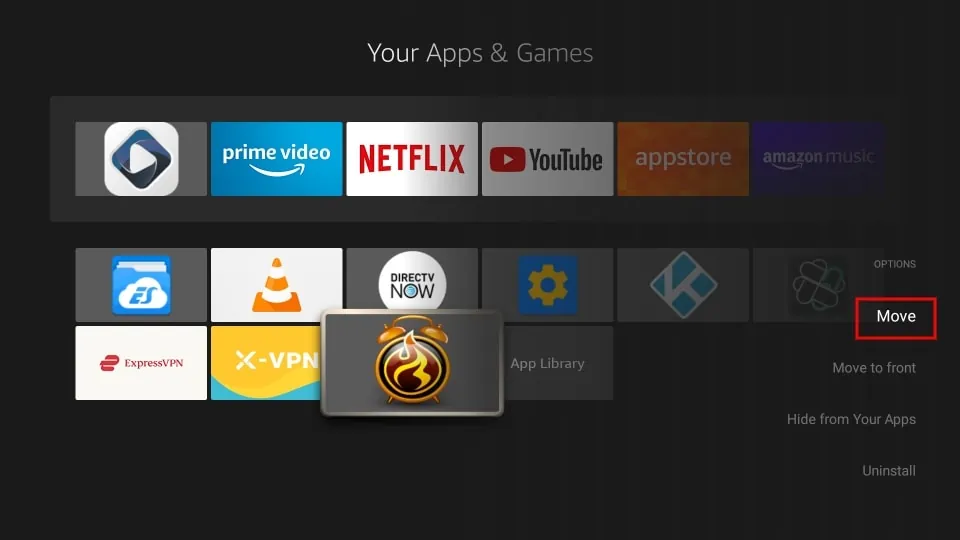
4. Use your FireStick remote’s directional buttons to put APKTime in the top row of apps. Press the select button on your remote to confirm the new location.
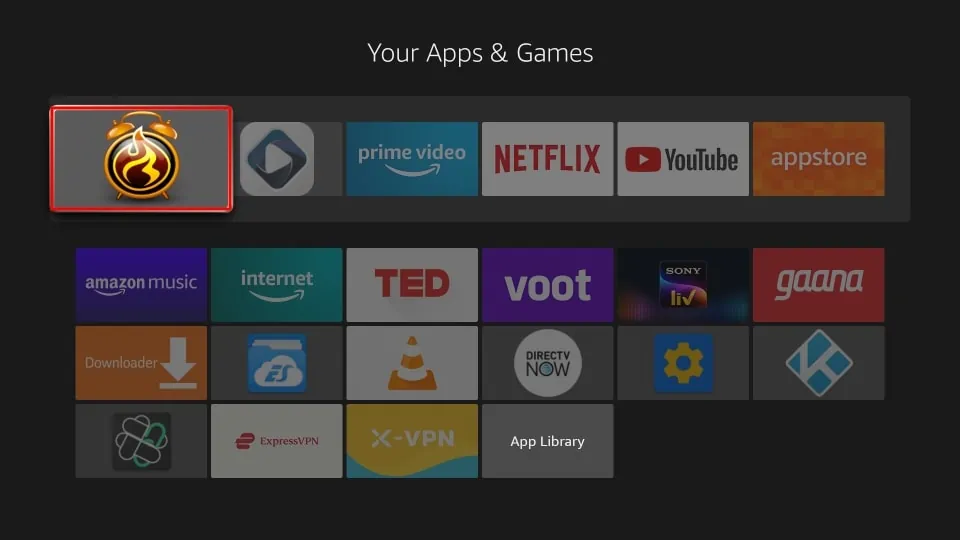
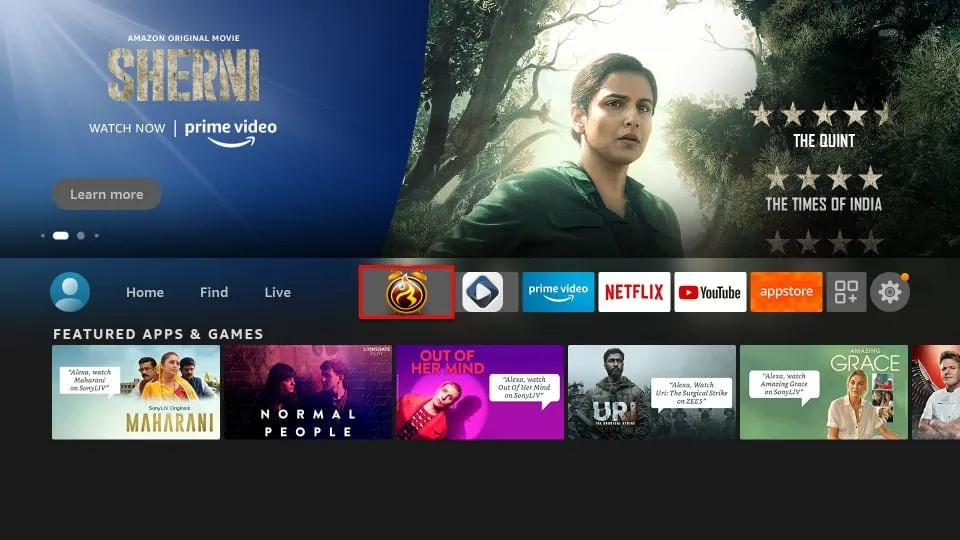
5. APKTime is now easily accessible on your home screen.
How to Use APKTime on FireStick?
APKTime serves as a one-stop shop for all your FireStick app needs. APKTime’s interface is straightforward and easy to navigate. Once you open the app, you’ll see the following categories:
- * NEW UPDATES *
- *Top APKs
- Android TV
- Animation
- APK Seekers
- Entertainment
- Essentials
- Fire Devices Only
- Free VPN
- Gaming
- Graveyard
- Kodi Builds
- Kodi Fork
- Live
- Mobile Movie
- Music
- Non-English
- Players n Browsers
- Premium Services
- Sport
- Tools
- Torrent Only
- x86/x64
- XXX [ADULTS ONLY]
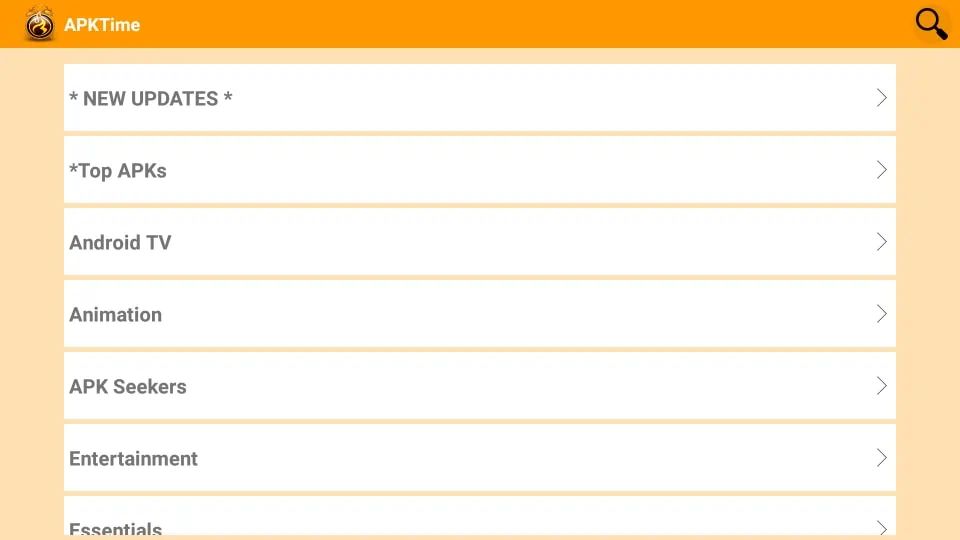
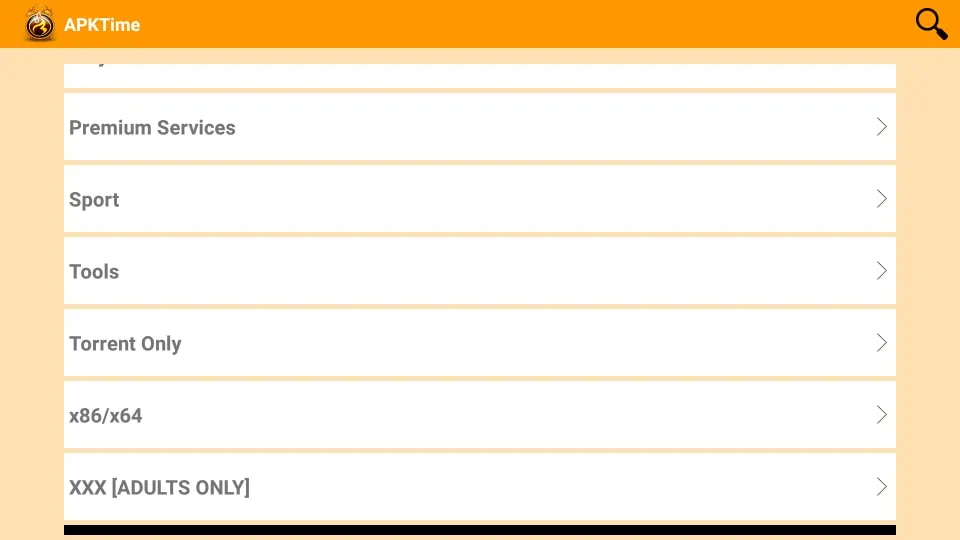
You also get a search bar in the top-right corner, which you can use to find apps by typing in keywords.
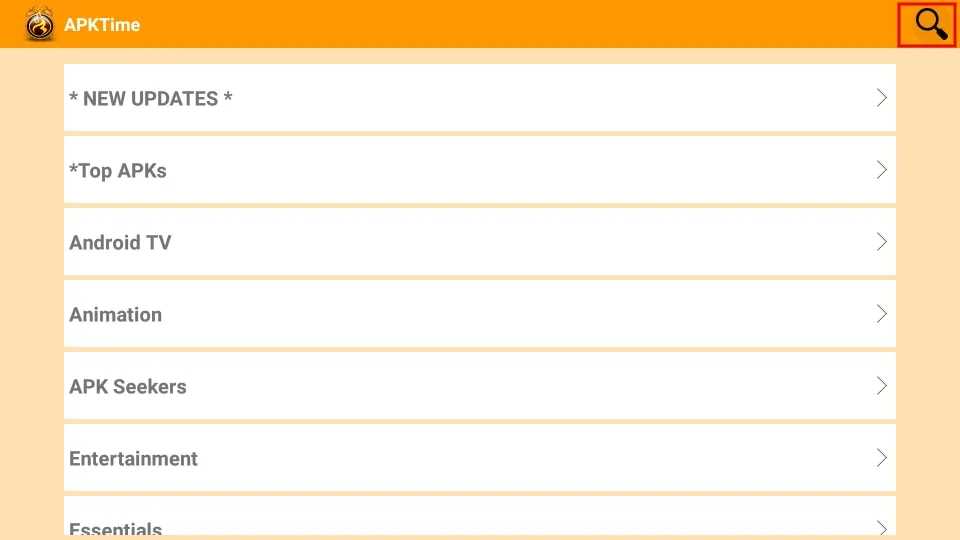
APKTime doesn’t have any dedicated settings or options to configure. But installing APK files is a pretty straightforward process, which I’ll show you below.
Each app has a brief description so that you know what to expect. When you’ve decided to get an app, follow these steps.
How to Install Any App From APKTime
1. Select the app you want to install.
2. Click the DOWNLOAD button below the description.
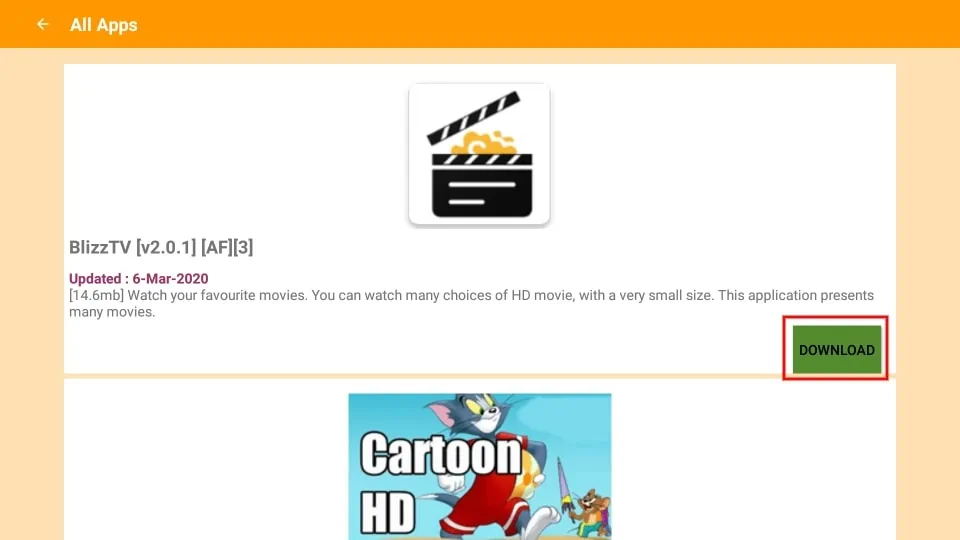
3. Wait for the download to complete.
4. Click INSTALL on the popup window that appears.
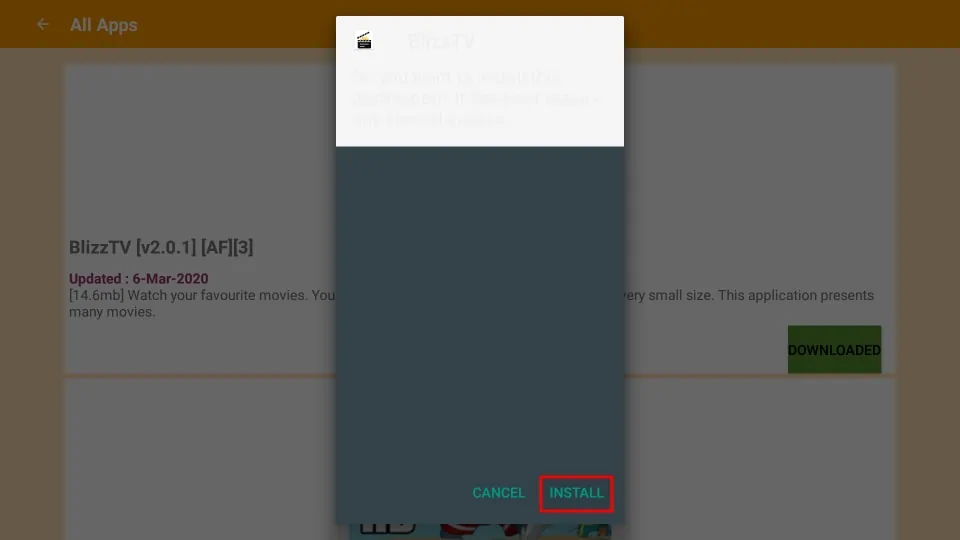
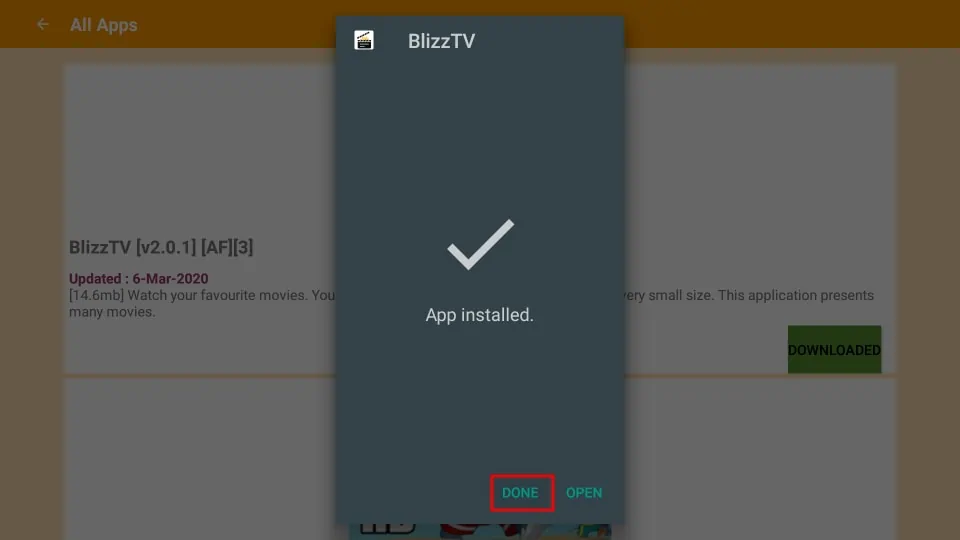
5. Wait for the installation and click DONE. You may also click OPEN to start using the new app immediately.
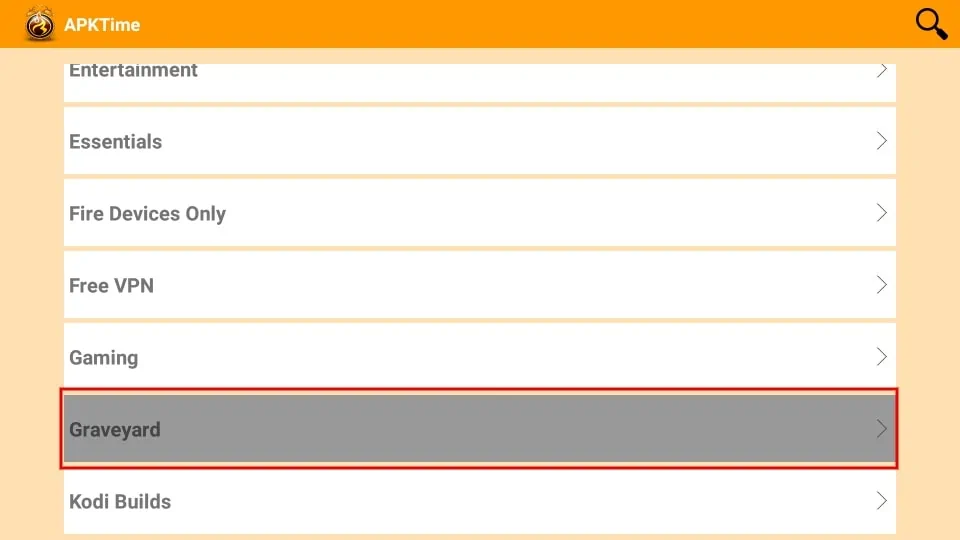
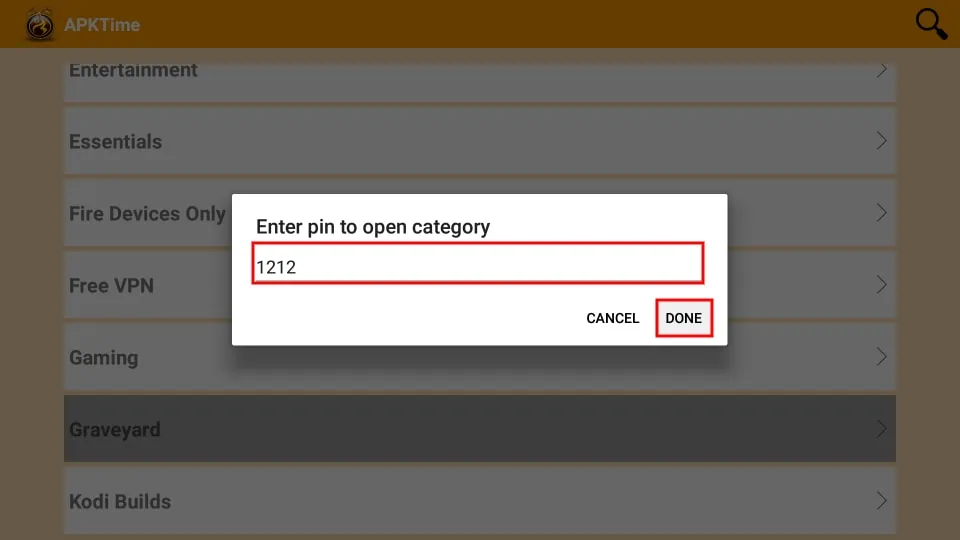
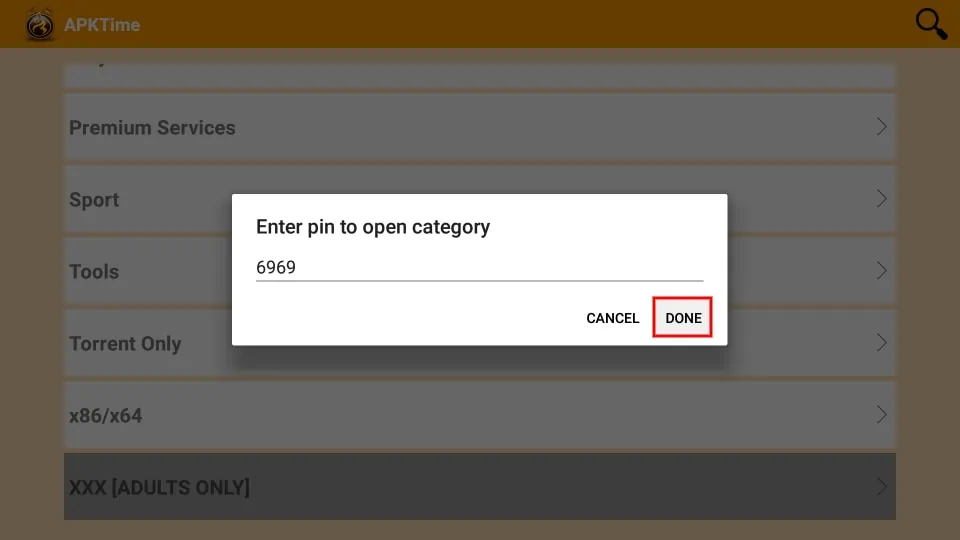
On the APKTime home screen, the Graveyard category houses apps that no longer receive updates but can still be installed. However, you need to type in a PIN to access the folder. The PIN is 1212.
Similarly, you need to enter a PIN to open XXX [ADULTS ONLY] folder for obvious reasons. The PIN here is 6969.

Wrapping Up
I hope this guide helped you understand how the APKTime app works. It offers thousands of apps across all categories for free, and they’re available worldwide, regardless of location. The platform is easy to navigate and reliable, and its APKs are regularly updated. APKTime is simply one of the best FileLinked alternatives. Did you have any trouble installing or using APKTime? Let us know in the comments so we can help you out.
Related:
- How to Install Stremium App on FireStick
- How to Install Airy TV on FireStick
- How to Install OnStream APK on FireStick

Suberboost Your FireStick with My Free Guide
Stay Ahead: Weekly Insights on the Latest in Free Streaming!
No spam, ever. Unsubscribe anytime.





Leave a Reply