
I have listed several Project Free TV alternatives in this post.
What Was Project Free TV?
I still remember when Project Free TV was one of the go-to streaming sites. It seemed to have everything—old classics, hit shows from the 2000s, and even newer releases. You could simply visit the site and start watching without paying a fee or creating an account.
Later, however, I learned that much of the content available there was unauthorized. Not all of it, though. Some titles were in the public domain and could be legally distributed without licensing restrictions, and Project Free TV included a fair amount of that content as well.
The site maintained that it did not host any videos itself. Instead, it gathered links from various sources around the web and organized them in one place. While that may have sounded harmless on the surface, it still raised significant copyright concerns.
Eventually, the site was shut down in 2017, reinforcing the long-held view that it was operating outside the bounds of copyright law.
Attention!
ISPs, hackers, and other third-party entities worldwide may monitor your online activities. For security, privacy, and smooth streaming, it is recommended to use a reliable VPN for FireStick. Your IP address is visible to sites you visit.
I use ExpressVPN, a fast and secure VPN service. It is easy to install on any device, including Amazon Fire TV Stick, PC, Mac, and Smartphones. Also, it comes with a 30-day money-back guarantee. If you don't like their service, you can always ask for a refund. ExpressVPN also has a special deal where you can get 4 months free and save 81% on the 2-year plan.
More About Project Free TV
Are Project Free TV Alternatives Legal?
Yes, all the alternatives I have listed here are legal. You can find these services on official app stores, such as the Google Play Store, the Amazon Appstore, the Apple App Store, and others.
Best Project Free TV Alternatives (Updated Sep 2026)
Here is our list:
1. Pluto TV
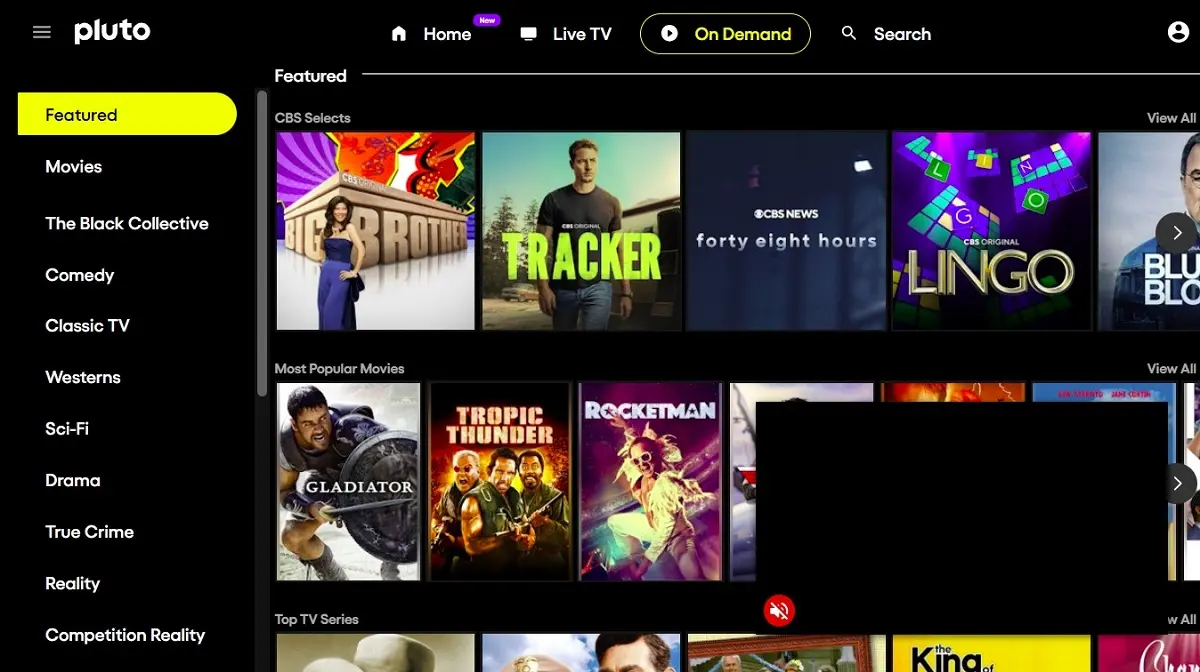
I’ve been using Pluto TV on and off for a few years now, and I think it’s one of the most reliable free streaming platforms. What makes it stand out for me is that it’s completely legal, so I don’t have to worry about copyright issues or sketchy links that might harm my device.
Pluto TV offers both live TV and on-demand content. There are hundreds of free channels — over 250, I think — covering everything from movies and news to sports and reality shows. The on-demand library is vast, with more than 1,000 titles. I’ve seen everything from older favorites and cult classics to newer releases pop up there.
With roughly 80 million users every month, it’s safe to say the service is pretty stable. I haven’t come across any reports of security problems or server issues either, which gives me confidence recommending it to people who want something safe and free.
The only limitation is availability. Pluto TV is available in a few regions, including the US, UK, Canada, Brazil, Spain, and France. But if you live elsewhere, you can still access it by connecting to a VPN in one of those countries.
You can watch Pluto TV on almost any device — Roku, Fire TV, Android TV, Chromecast, Samsung, Sony, and Vizio TVs. There’s also an app for Android and iOS that works smoothly, in my experience.
2. Tubi TV
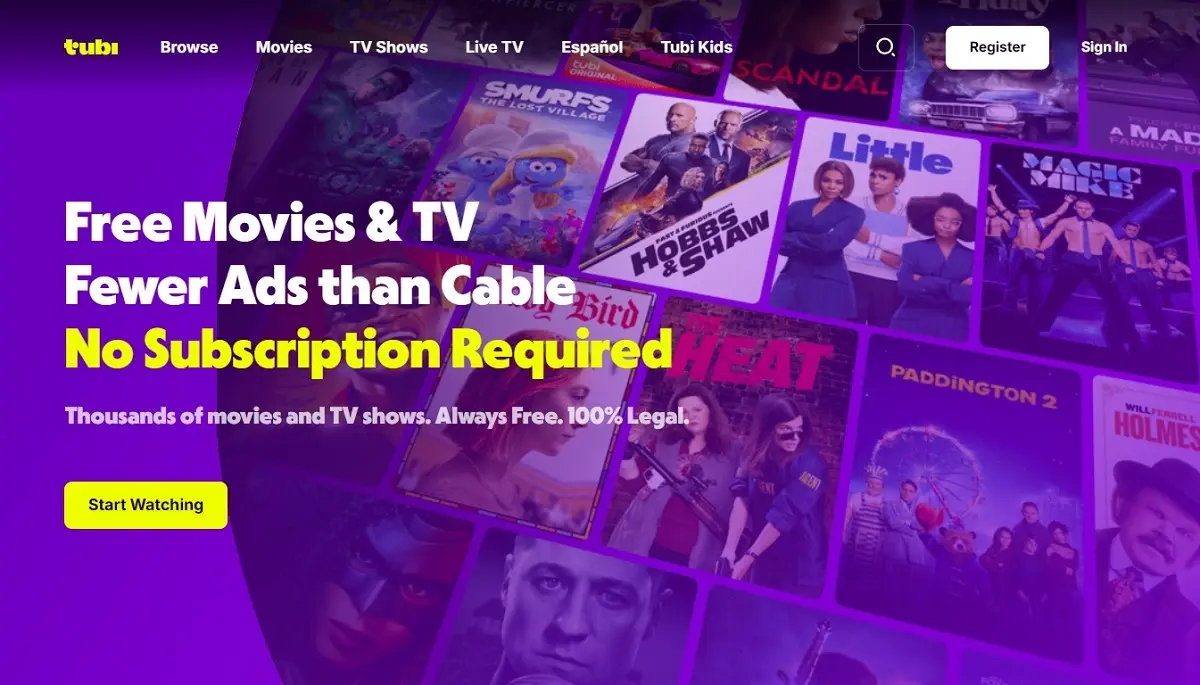
Tubi TV has over 100 million users, as reported on Jun 17, 2025. So, I believe there’s something good about it.
I have written posts on FireStickTricks about alternatives to defunct services, and I have mentioned Tubi TV in every one.
My reasons are clear. It has thousands of movies and series, all for free. It is an ad-supported platform for on-demand content. Honestly, I don’t like ad interruptions, but I don’t mind them much on Tubi because I get to watch high-quality free cinema.
The service is available in the US, Canada, Mexico, Australia, and New Zealand. However, my friend in France said he could access it easily with a VPN.
You don’t need to register to use Tubi. Simply visit the website and start streaming. However, creating a free account has its benefits. It lets you build a watchlist, get personalized recommendations, and resume where you left off across supported devices.
If you don’t want to watch it in a browser, you can download its app on FireStick, Android TV, Roku, Apple TV, and several other streaming devices.
3. Plex
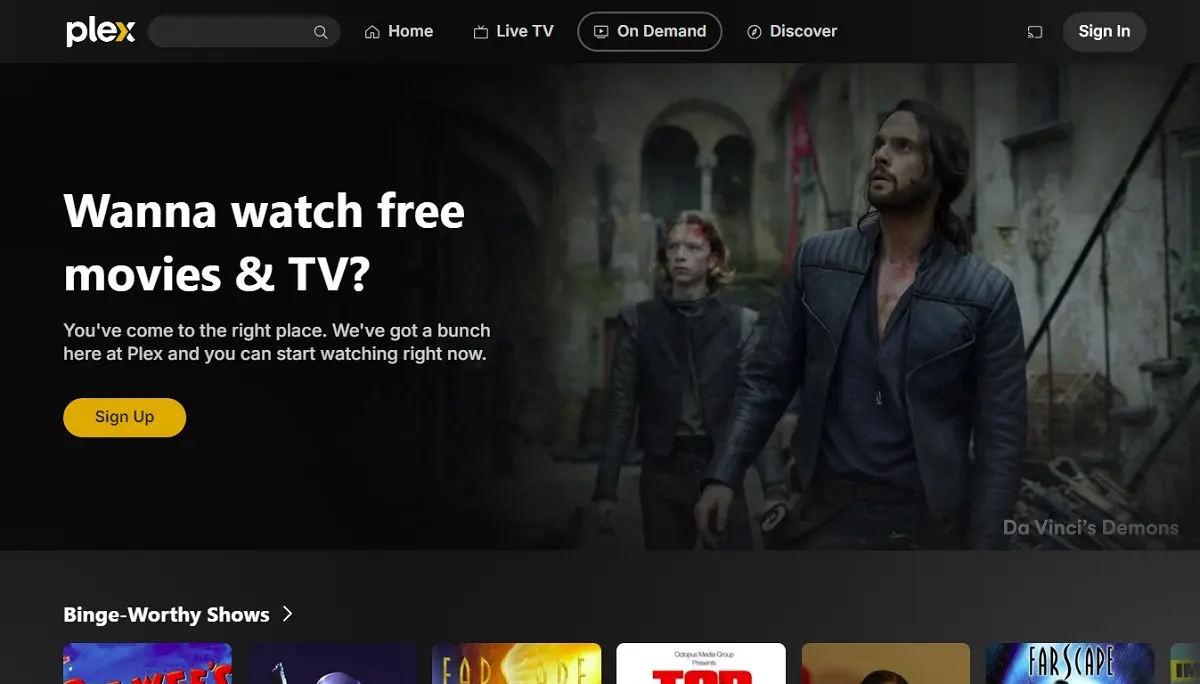
Plex is one of the better legal and secure alternatives to Project Free TV. It’s completely free and has a solid library of movies and TV shows from recent years as well as older classics.
I like that Plex also features a few Spanish telenovelas, which you don’t often see on other platforms. You can start streaming without an account, but signing in helps you sync your watchlist or continue watching across devices.
Plex works smoothly on smart TVs, FireStick, mobile devices, and browsers, making it easy to watch your favorite shows anywhere.
4. Fawesome
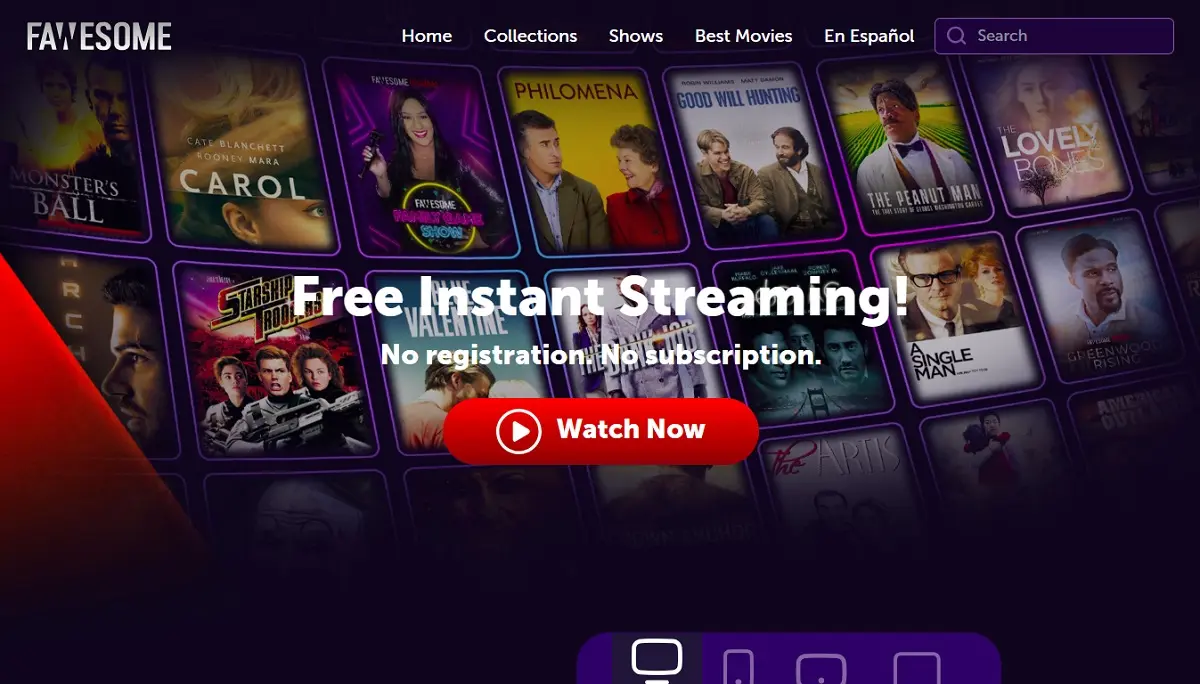
Fawesome is a fast-rising streaming platform for free movies and TV shows. It is one of the platforms that doubles as a website and a streaming app. You can stream the content online on the website or download the app to your device.
I like Fawesome because it has a collection of quality films and shows. Unlike most free official sites, which offer outdated content, Fawesome offers up-to-date content. Additionally, the video quality is superb, up to HD quality.
5. Xumo Play

I use Xumo Play once in a while, mostly when I’m too lazy to sign in anywhere else. It’s free, it works, and the content mix isn’t bad at all — movies, TV shows, live channels, even some sports here and there. It kind of feels like flipping through cable, but with random surprises tucked in.
Sometimes I watch on the app, and other times I use the website. Both work well in my experience. Video quality typically reaches 1080p, although that can vary depending on my internet connection.
You may encounter a few ads before a video starts, and there are usually additional ad breaks during playback. It’s not the ideal viewing experience, but that’s the tradeoff for getting access to free content.
6. The Roku Channel

The Roku Channel offers a wide variety of free ad-supported content, including live news, sports, movies, TV shows, and original programming. You can watch this content directly on the website or install The Roku Channel application on a compatible device.
You don’t need an account to watch content on The Roku Channel. However, creating a free account lets you add titles to your Save List. It also helps sync your history across all connected devices, which is helpful, especially when watching TV series.
7. Filmzie

I came across Filmzie while looking for free sites that felt a bit more curated, and it turned out to be a pretty solid alternative to Project Free TV. The library has thousands of free movies and shows spanning drama, crime, sci-fi, horror, and indie titles. The interface is simple, clean, and organized, so you don’t feel overwhelmed.
What stood out to me is how Filmzie sorts its content. There are more than 20 categories, and some are pretty niche. I noticed sections like European Production, Western, Biography, War, and Animation, which make browsing feel more intentional than scrolling endlessly. It’s easy to stumble onto something you’ve never heard of before.
Just keep in mind that you won’t find big mainstream releases here. Filmzie leans more toward indie films and lesser-known titles. If you enjoy discovering something new, it’s a nice place to explore. If you’re expecting blockbuster hits, you might feel a bit limited.
8. Popcornflix

Popcornflix is a free streaming platform offering a wide selection of movies and TV shows. It features a simple user interface that makes it easy to find films and shows. The main menu contains four sections:
- Home
- Movies
- TV Shows
- Search
As you can see from the menu, navigating and exploring the content library is easy on Popcornflix. It has a vast collection of movies and shows, mostly popular classics and 90s and early 2000s titles. Popular genres on this platform include Black Cinema, Pulse Pounding Thrills, Action Amplified, and Comedy Favorites.
The video quality is decent, and I didn’t encounter any buffering. Popcornflix is accessible to everyone, and no registration is required.
9. Sling Freestream
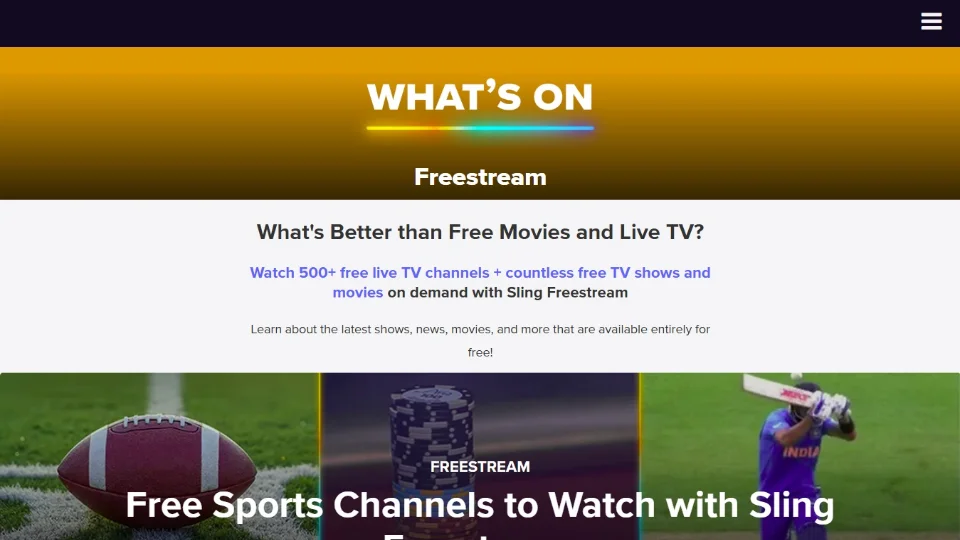
Sling Freestream is Sling’s free ad-supported service. Sling itself is a premium subscription-based service. It has since adopted the free ad-supported television (FAST) model to appeal to a broader audience and expand its market. Users don’t even need a Sling account to access the Sling Freestream. Just visit the website and start streaming your favorite movies and shows.
The platform offers over 600 free live TV channels to watch classic TV shows, old movies, and more. You will also find hundreds of on-demand titles here, as well as sports events like WNBA and Formula 1.
10. YouTube

YouTube has become one of the most popular sites for streaming free movies and shows. This video-sharing platform features a Movies and TV section, though it has been rolled out in select countries, such as the US and Canada. Users can watch free movies and shows with ads. Additionally, the section lets you rent and buy trending and popular movies.
Nevertheless, users without access to this feature can still find numerous free movies on YouTube by using the main search bar. I particularly like this one because it offers a global selection of independent filmmakers. You can even watch foreign-language movies with English subtitles.
Visit the Official YouTube Website
You’re all set. A quick reminder: your internet provider and many websites/apps can see your IP address and some details about your connection. Using a VPN encrypts your traffic and masks your IP address, thereby helping to protect your online privacy.
I recommend ExpressVPN. It’s a reputable VPN with strong encryption and fast connections, and it’s straightforward to install on all devices.
Step 1: Subscribe to ExpressVPN HERE. It comes with a 30-day money-back guarantee. Meaning, you can use it free for the first 30 days, and if you are not satisfied with the performance (which is highly unlikely), you can ask for a full refund.
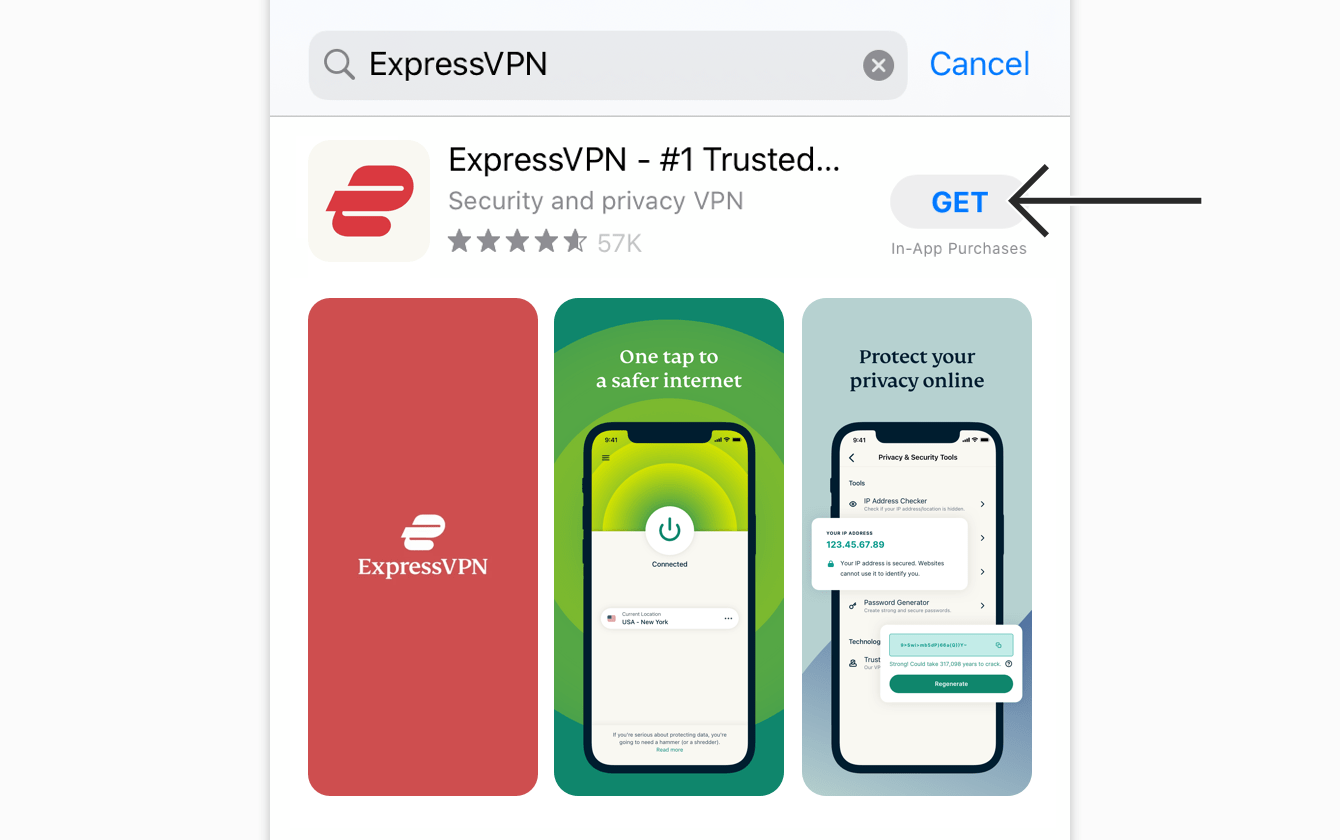
Step 2: Download and install ExpressVPN on your device.
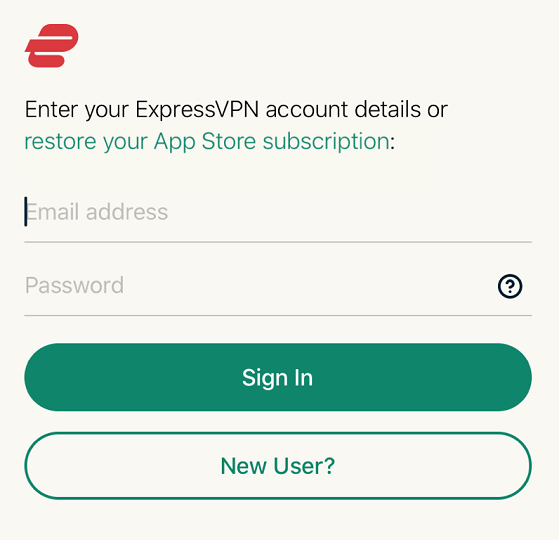
Step 3: Open the app and enter the login credentials you created while buying the ExpressVPN subscription. Click Sign in.
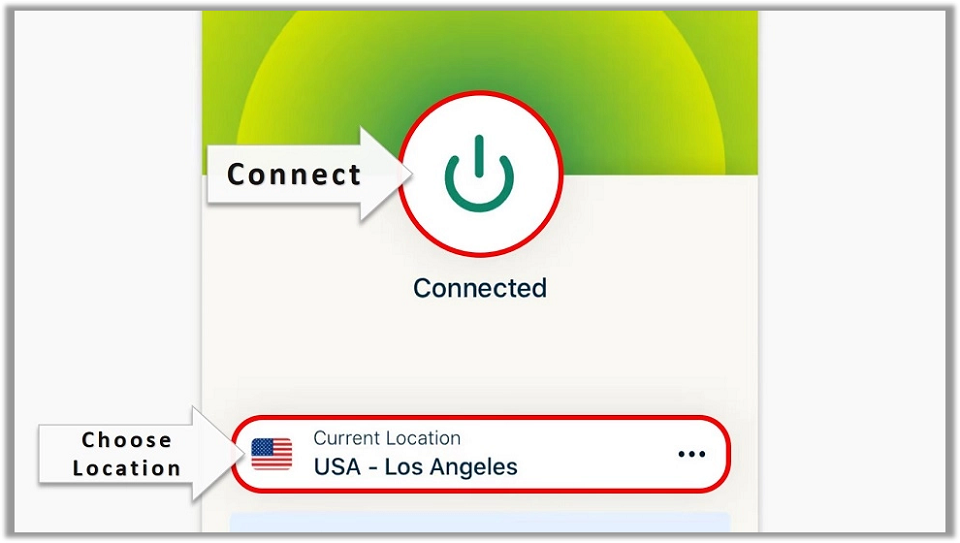
Step 4: Click the Power icon to connect to a VPN server. That’s all. Your connection is now secure with the fastest and best VPN.
Key Features To Look For in a Project Free TV Alternative
When most users look for an alternative, they want an option with features similar to the service they are trying to replace. For Project Free TV, these features include free content, library size and genre diversity, streaming quality, and device support.
Free Ad-supported vs. Subscription Content
Streaming services fall into two main categories: paid and free. The paid services offer high-quality, up-to-date movies and TV shows. However, this content is behind a paywall, and users must pay a subscription fee to access it.
On the other hand, free streaming services provide a vast library of free movies and TV shows. You don’t need to pay to access this content. However, this content isn’t always up to date, and the streaming quality isn’t the best.
What you look for in a Project Free TV alternative will depend on your streaming needs and preferences.
Library Size and Genre Diversity
Project Free TV offered a vast content library spanning genres such as drama, crime, action, horror, fantasy, romance, and sci-fi. Look for the same library size and genre diversity in an alternative. This ensures the streaming service meets your entertainment needs and offers a variety of content.
Video Quality and Stream Reliability
Video quality for movies, TV shows, anime, documentaries, and live TV affects user satisfaction. The best experience happens when the quality is HD (High Definition) or higher. Modern gadgets support HD streaming, with some supporting up to 8K UHD quality.
Stream reliability is also a considerable factor when choosing a Project Free TV alternative. Does the stream buffer? Does the playback begin as soon as you press play? Consider these factors when choosing a streaming service.
Device Compatibility
Over-the-top streaming platforms have changed the way we watch content. Unlike before, when a lot of entertainment happened on TV, you can watch online content on any device that supports a browser. These devices include desktops, tablets, smartphones, streaming sticks like Roku and Amazon FireStick, Android TV boxes, and gaming consoles.
Choose a streaming service that is compatible with most of these home streaming devices.
Comparing Free vs. Paid Alternatives
Both free and paid Project Free TV alternatives have their benefits and drawbacks. To determine which alternative best fits your streaming needs, compare the pros and cons of each.
Pros and Cons of Free Legal Platforms
Free legal platforms like Pluto TV, Tubi, and Plex are great Project Free TV alternatives. Below are their pros and cons:
Pros
- No registration or subscription required to access content.
- A vast library of movies, TV shows, documentaries, etc.
- 100% safe and legal.
- Supported on most home streaming devices, including smart TVs, computers, mobile phones, tablets, and streaming sticks.
- A diverse range of genres, including drama, horror, romance, crime, action, adventure, and sci-fi.
Cons
- Most of the free platforms are ad-supported, and some users don’t like the interruptions.
- Some of the services are geo-restricted to a few countries and regions.
- Most free platforms stream content in low quality, mostly 480p.
- Most free platforms lack new and popular titles.
When Paid Streaming Services Might Be Worth It
Most users shy away from paid services because of subscription fees, but they offer value that official free platforms don’t. Here’s when paid streaming services might be worth it:
- For a good user experience, most paid services are ad-free and have an optimized user interface. The streaming quality on these sites is also premium, mostly in HD and 4 K.
- When looking for niche content. Premium platforms offer exclusive content that you can’t access elsewhere. These include live sports, movies that have completed their theater runs, reality TV, and special programs.
- When you want risk-free streaming, paid services invest in resources that make these sites secure for users. If you want to watch content with peace of mind, subscription-based platforms offer a malware-free and secure alternative to Project Free TV.
Hybrid Approaches: Free Content + Paid Upgrades
Some streaming platforms provide both free and paid content. Mostly, you don’t need an account to access the free content, but you can register for one anyway. Exclusive content, such as new movies and TV shows, is hidden behind a paywall. If you’re a free account holder, you can upgrade to one of the paid tiers to unlock the premium content.
Examples of services that use the freemium model include YouTube, Fandango at Home, Sling (with Sling Freestream), and The Roku Channel.
Device-Specific Tips for Streaming
You can follow various device-specific tips to optimize streaming on Project Free TV alternatives. Whether you’re using the web versions of streaming apps, techniques like clearing cache, using Ethernet, and positioning your devices near the router can improve your overall streaming experience.
How to Optimize Streaming on FireStick, Android TV, iOS, and PC
Here are helpful tips to optimize streaming on FireStick, Android TV, iOS, and PC:
- Keep your streaming device up to date for optimal performance and access to the latest features.
- If you’re using a streaming app, keep the app updated to the latest version.
- Use a strong, high-speed internet connection for streaming, preferably via wired Ethernet rather than wireless.
- Position your TV and other streaming devices near the router to avoid signal obstruction by other objects.
- Clear browser and app cache regularly to free up memory.
- Disconnect unused devices from the internet and close background apps to prioritize streaming on your device.
- Enable Quality of Service (QoS) on your router settings to give streaming traffic a higher priority.
Using VPNs Safely for Geo-Restricted Content
As we mentioned earlier, some official streaming platforms restrict content to specific locations. For example, Pluto TV is restricted to the US, Canada, Australia, the UK, Germany, Italy, and France. A VPN can help you watch Pluto TV’s content outside these countries.
Streaming platforms flag users’ IP addresses to block access to content. A VPN conceals your real IP address and routes your traffic through an IP address in an allowed location. For instance, you can connect to a US server on your VPN to unlock US-restricted content.
Tips to Reduce Buffering and Improve Video Quality
Buffering and low video quality are two major problems experienced when streaming content online. These problems can be tied to your internet connection, streaming device, or the streaming platform. Troubleshoot these issues to improve your online streaming experience.
Below are the top tips to reduce buffering and improve video quality while streaming online:
- Choose a reliable ISP: Switch ISPs or upgrade to a plan with sufficient broadband speed if you suspect your current internet speed is causing buffering.
- Manually adjust the video quality to match your internet speed and preferences. Often, setting it to auto results in subpar quality, so manual selection is best.
- Reduce the number of connected devices to stabilize your connection and prioritize streaming.
- Upgrade your streaming devices: Older TVs, desktops, and phones are generally slower than the latest devices. If you’re using an older device, consider upgrading to one with the latest hardware and operating system.
- Close background apps: Apps running in the background consume power, bandwidth, and memory. All these factors can affect video quality and cause buffering. Manually close these background apps or use utility apps that force them to close.
- Use a VPN: Some ISPs reduce your bandwidth once they notice you’re streaming content online. This is called ISP throttling. A VPN hides your online activity from your ISP by encrypting your internet traffic. Your ISP can’t tell what you’re doing with your traffic, so it can’t throttle your bandwidth.
Frequently Asked Questions
A: Project Free TV was a website that provided links to third-party sites for streaming TV shows and movies. It gained popularity for offering free access to a wide range of content but was eventually shut down due to copyright violations and legal pressure.
A: No, it is not legal to use Project Free TV or similar sites. These platforms typically provide unauthorized access to copyrighted content, violating copyright laws. Additionally, they may expose users to malware, ads, and data privacy risks.
A: There are many safe and legal streaming platforms, both free and subscription-based such as, Tubi TV, Pluto Tv, Plex, etc.
A: Tubi TV is one of the best free streaming services, offering a large library of movies and TV shows with minimal ads. Pluto TV is great for live channels and traditional TV-style viewing. Peacock Free also offers quality content without a subscription. All are legal, easy to use, and completely free.
Winding Up
In this guide, I have discussed the best Project Free TV alternatives that are legal and safe to watch on all your devices. They offer free movies, TV shows, and live TV channels. Have you used any of the streaming platforms mentioned? Please share your thoughts or concerns in the comments section below.

Suberboost Your FireStick with My Free Guide
Stay Ahead: Weekly Insights on the Latest in Free Streaming!
No spam, ever. Unsubscribe anytime.





Leave a Reply